a learning opportunity.
Manage the meetings your operation needs, prepare training topics ahead of time and capture who attended. Connect the conversation in the work area with training records across your Locstatt HSE system.


Your way of working.
Customize your company’s list of meeting types to fit its operations. Organize daily, weekly, monthly and training meetings in terms your supervisors and employees understand.
Daily toolbox talk
Start the shift with a focused discussion.
Weekly safety meeting
Give teams a regular space to review safety topics.
Monthly HSE review
Bring operational learning into a wider conversation.
Training session
Link the meeting to a course and record the learning.
when teams need them.
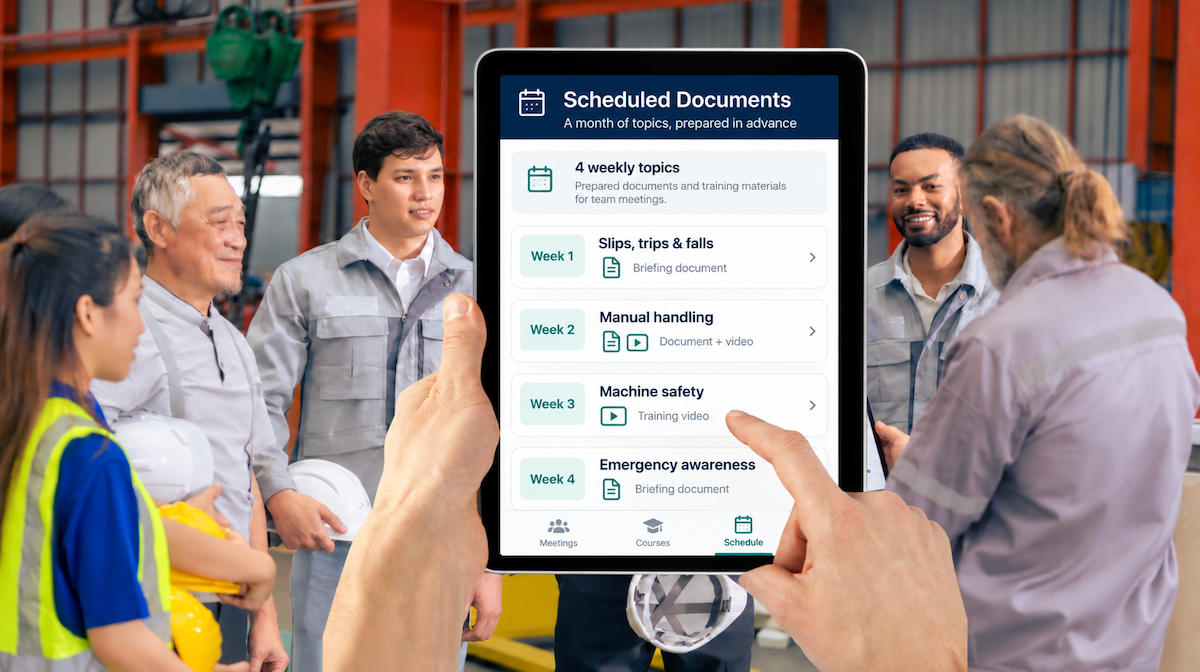
Link each meeting type to a list of courses and add the documents and videos that support those topics. Supervisors and instructors can prepare training weeks or months in advance.
CAPTURE THE PARTICIPATION
Keep the focus on people
Give supervisors a straightforward way to record the people taking part, with badge scanning and saved electronic signatures.
Scan a badge. Add the employee.
Use the mobile app to scan a QR code from an electronic or printed employee badge. Employees can also be added by name or ID.
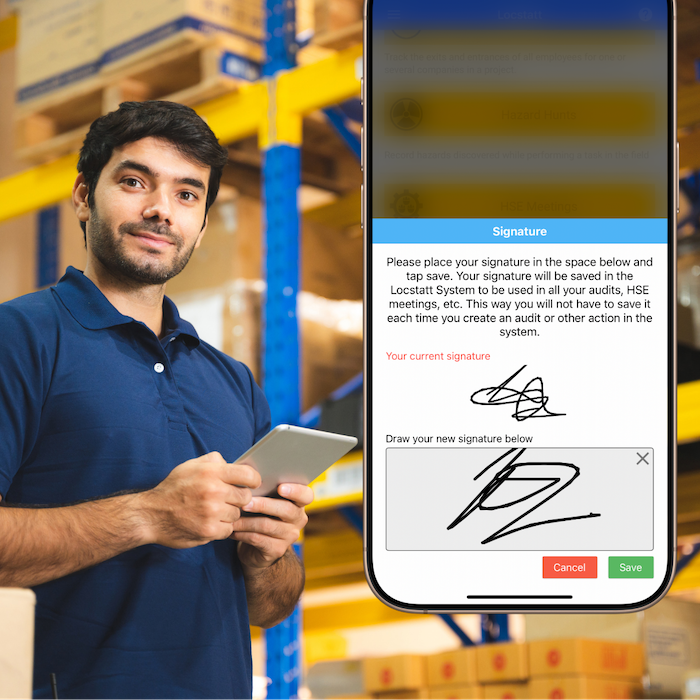
Save the signature. Use it across attended meetings.
Each employee saves their own electronic signature. It is associated with the meetings they attend, removing the need to sign again every time.
Work online or offline.
Record meetings through the Workstation mobile app.
Keep the context.
Add photos and comments to document the meeting.
Save the meeting.
Let the training record follow.
When a supervisor or instructor saves a meeting linked to a Training module course, the employees who attended are recorded as participants and the associated training is saved in their training records.
Record the meeting, its linked course and the employees who attended.
Record participation
Attendees are saved as participants in the meeting.
Update training records
The linked training is saved for each employee who attended.
Use the record across modules
Review it through Training and Facility Logbook reports.
Training delivered through a meeting becomes available in employee training history and the reports used to review required training at the worksite.
across your operation.
Review meetings across facilities, supervisors and training topics, with annual overviews that bring participation into a broader company perspective.
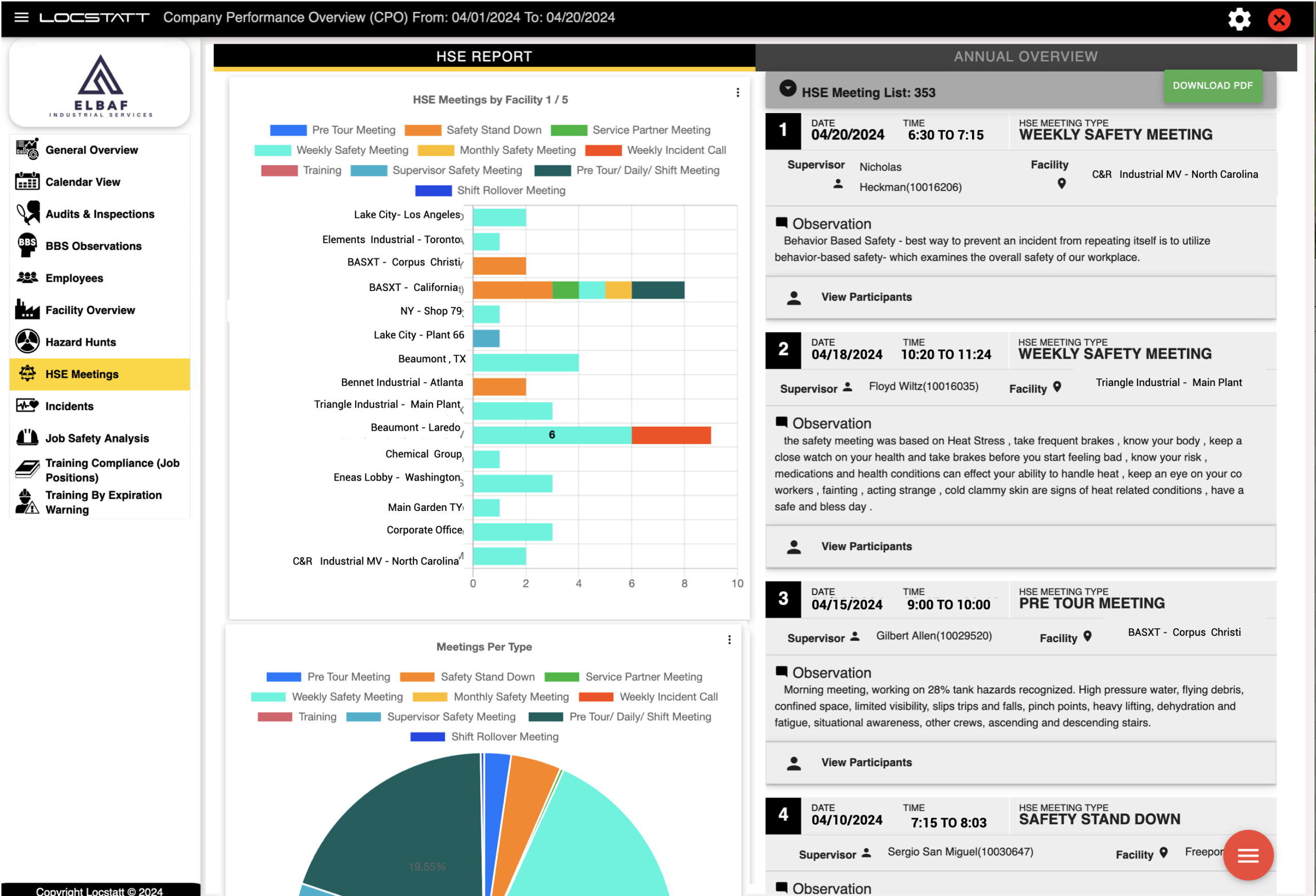
Review past meetings
Review documentation across locations and regions. Export meeting records to PDF, including attendee signatures.
Connect participation with learning
See the associated training in employee history and Training reports.
Set participation goals
Set monthly meeting goals for the company or teams by facility and review progress.
Bring field experience
into the next conversation.
Use your meetings to discuss the real work behind audits, observations and hazard findings. Connect those conversations with courses and records that remain useful after the meeting ends.
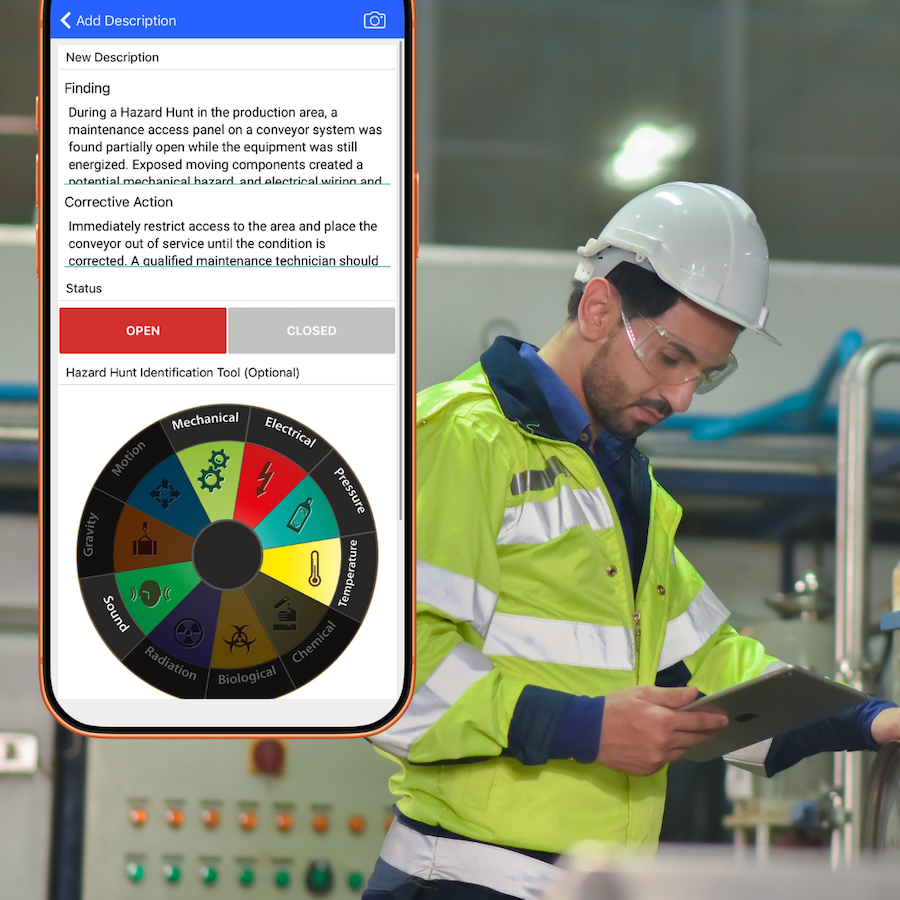
Discuss what teams are finding
Bring reported hazards into your next safety topic.
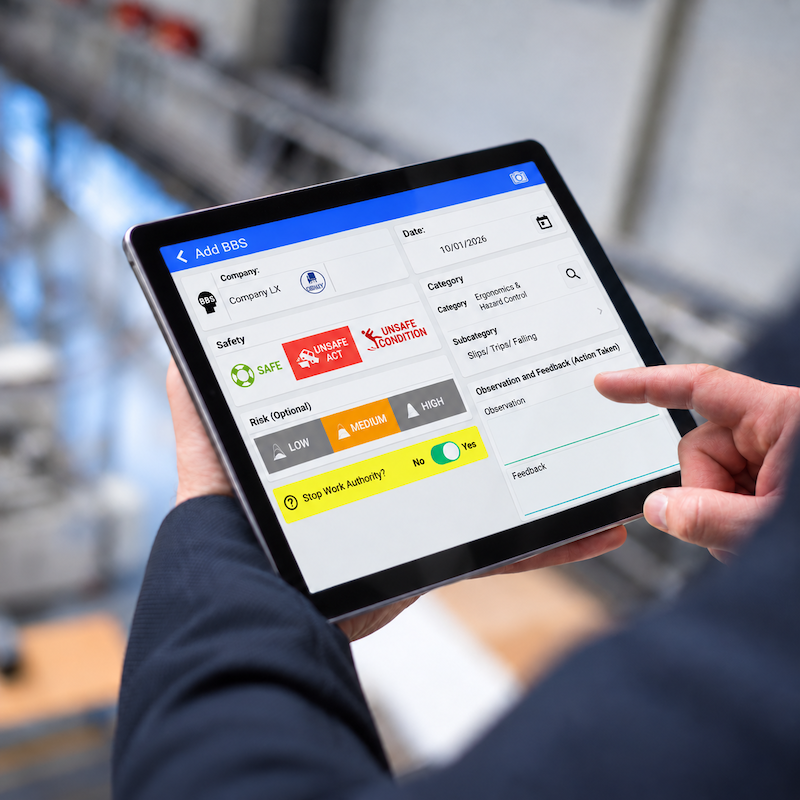
Learn from field observations
Use everyday observations to inform team discussions.
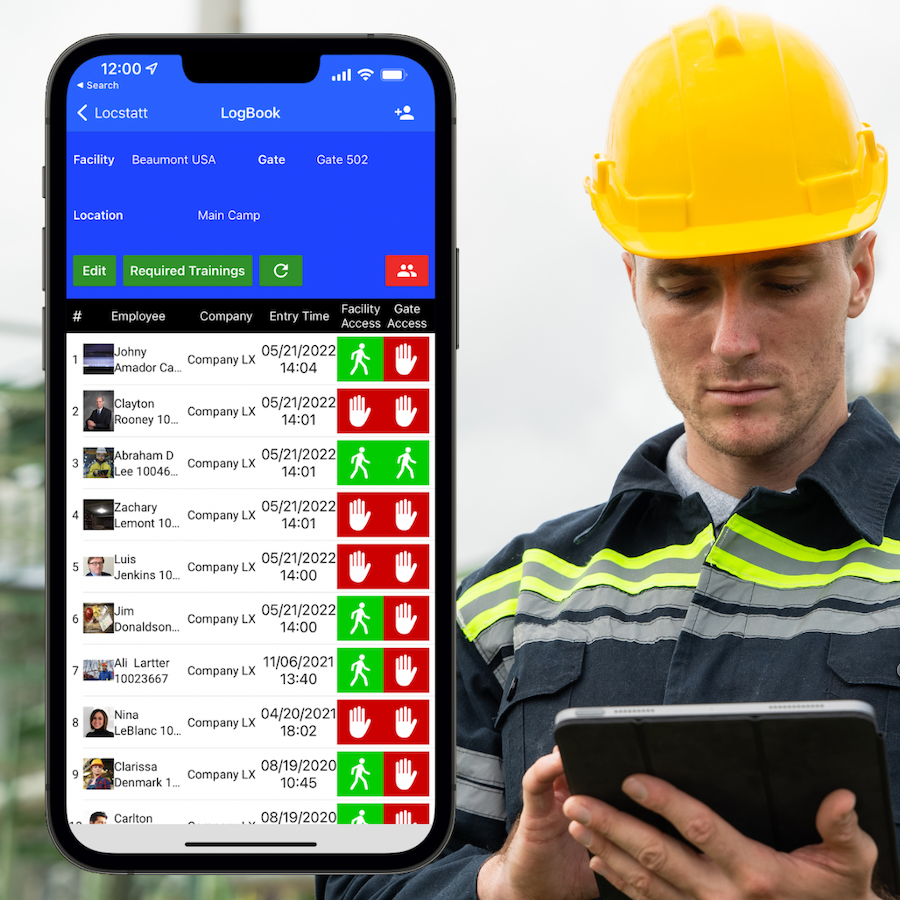
Put training records to work
Review meeting-linked training alongside facility and gate requirements.
Make your next meeting
count beyond attendance.
Explore meeting types, scheduled materials and the connected training workflow for your operation.