a learning opportunity.
Plan safety meetings, prepare training topics in advance, and record attendance. Link each meeting to employee training records in Locstatt.


Customize your company’s meeting types to match your operations. Organize safety meetings around the topics and activities that matter to your operation.
Daily toolbox talk
Start the shift with a focused discussion.
Weekly safety meeting
Give teams a regular space to review safety topics.
Monthly HSE review
Review lessons from daily work during monthly safety meetings.
Training session
Link the meeting to a course and record the learning.
when teams need them.
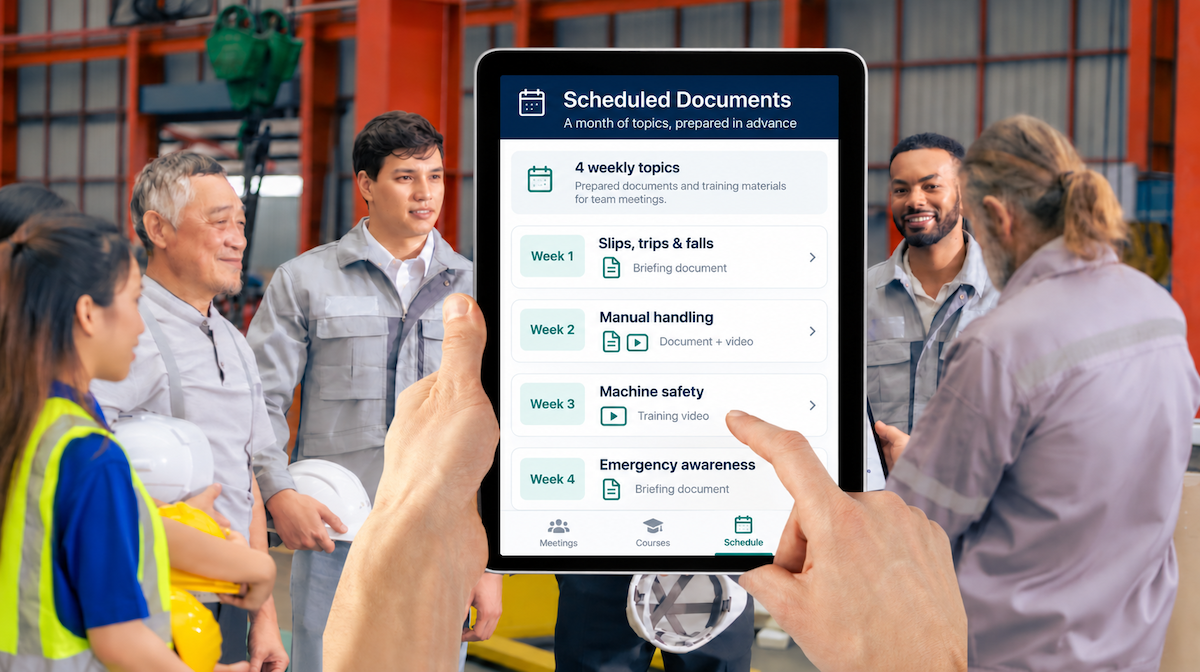
Link each meeting type to relevant courses, documents, and videos. Supervisors and instructors can schedule these training materials weeks or months in advance.
CAPTURE THE PARTICIPATION
Keep the focus on people
Let supervisors record attendance by scanning employee badges and using saved electronic signatures.
Scan a badge. Add the employee.
Scan the QR code on an electronic or printed employee badge using the mobile app. You can also add employees by name or ID.
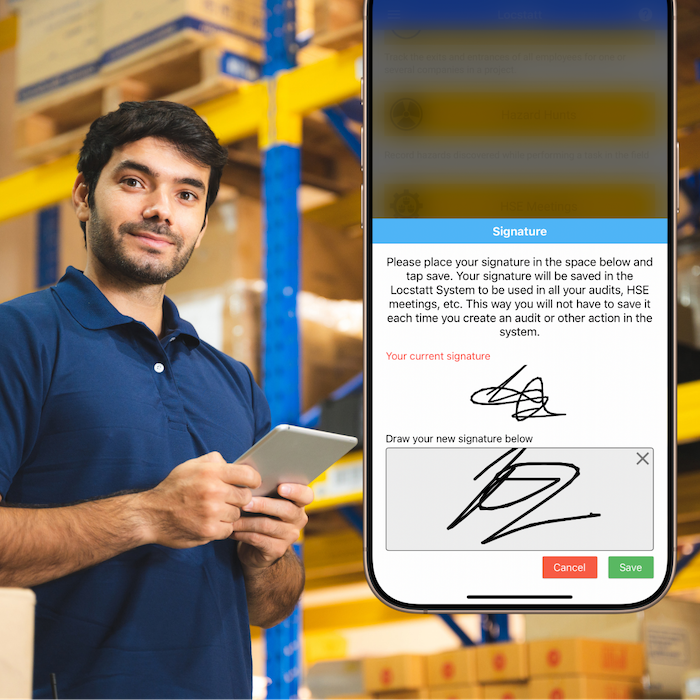
Save the signature. Use it across attended meetings.
Each employee saves an electronic signature that is associated with the meetings they attend, eliminating the need to sign separately at each meeting.
Work online or offline.
Record meetings using the Workstation mobile app.
Keep the context.
Add photos and comments to document the meeting.
Save the meeting.
Let the training record follow.
When a supervisor or instructor saves a meeting linked to a course in the Training module, attendees are recorded as participants and the associated training is added to their training records.
Record the meeting, its linked course and the employees who attended.
Record participation
Attendees are saved as participants in the meeting.
Update training records
The linked training is saved for each employee who attended.
Use the record across modules
Review records in the Training and Facility Logbook reports.
Training completed through a meeting appears in each employee’s training history and in reports used to track required training at the worksite.
across your operation.
Review meeting participation by facility, supervisor, and training topic, with annual overviews of activity across the company.
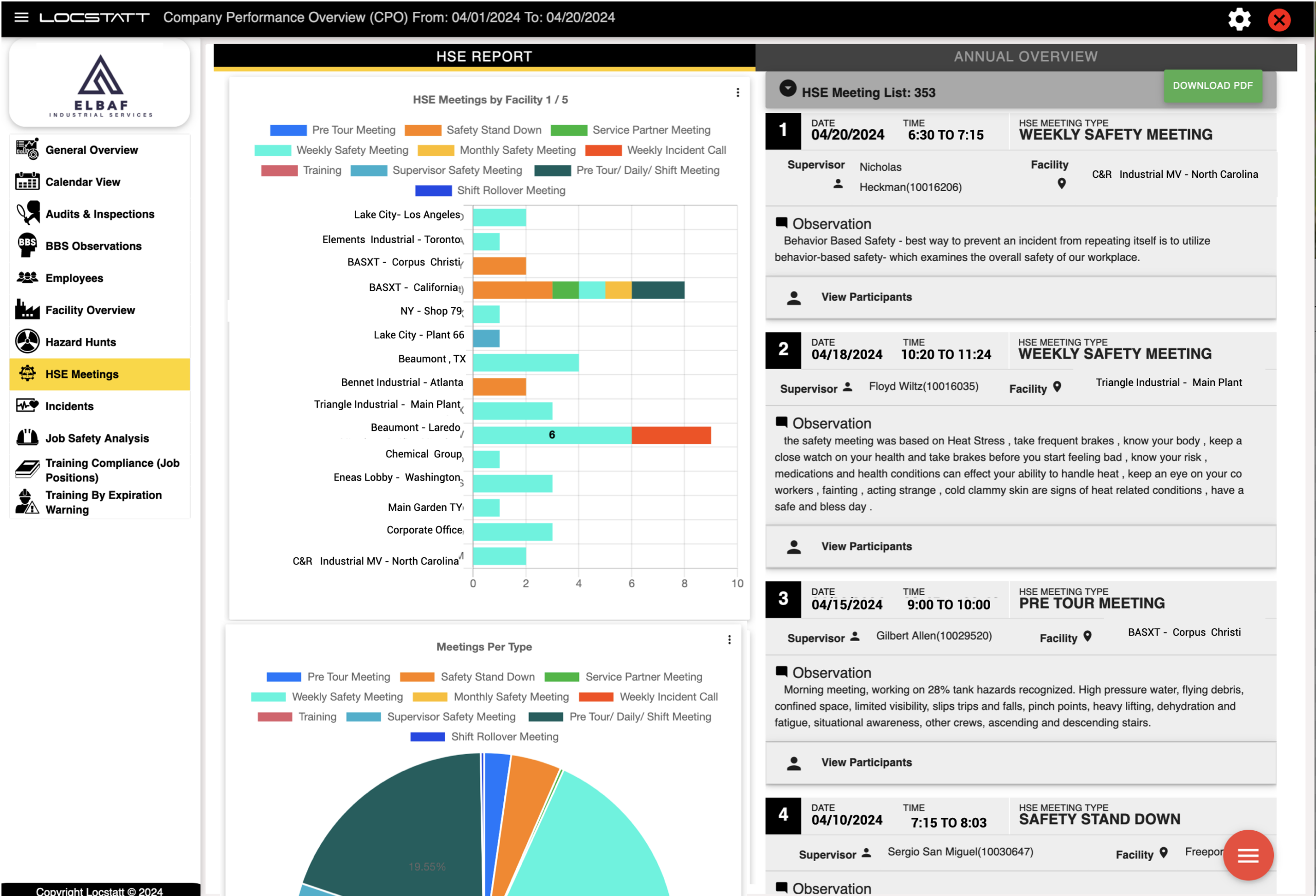
Review past meetings
Review meeting records across locations and regions. Export them as PDFs with attendee signatures.
Connect participation with learning
See the associated training in employee history and Training reports.
Set participation goals
Set monthly meeting goals for the company or teams by facility and review progress.
Bring field experience
into the next conversation.
Use safety meetings to discuss findings from audits, observations, and hazard hunts. Link those discussions to relevant courses and records for future reference.
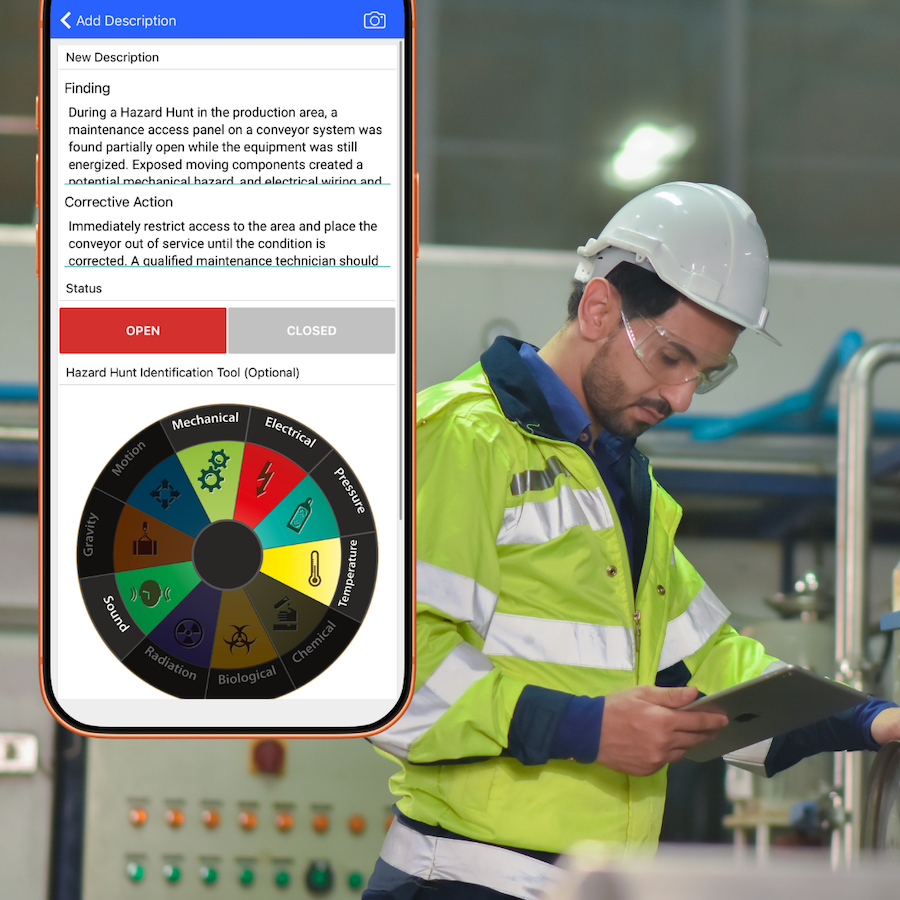
Discuss what teams are finding
Bring reported hazards into your next safety topic.
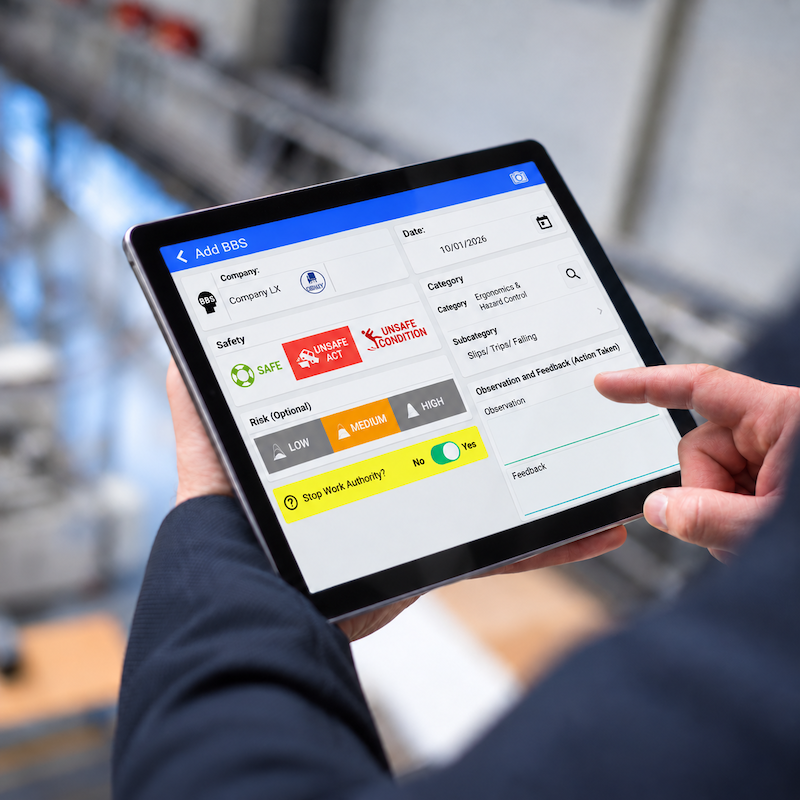
Learn from field observations
Use everyday observations to inform team discussions.
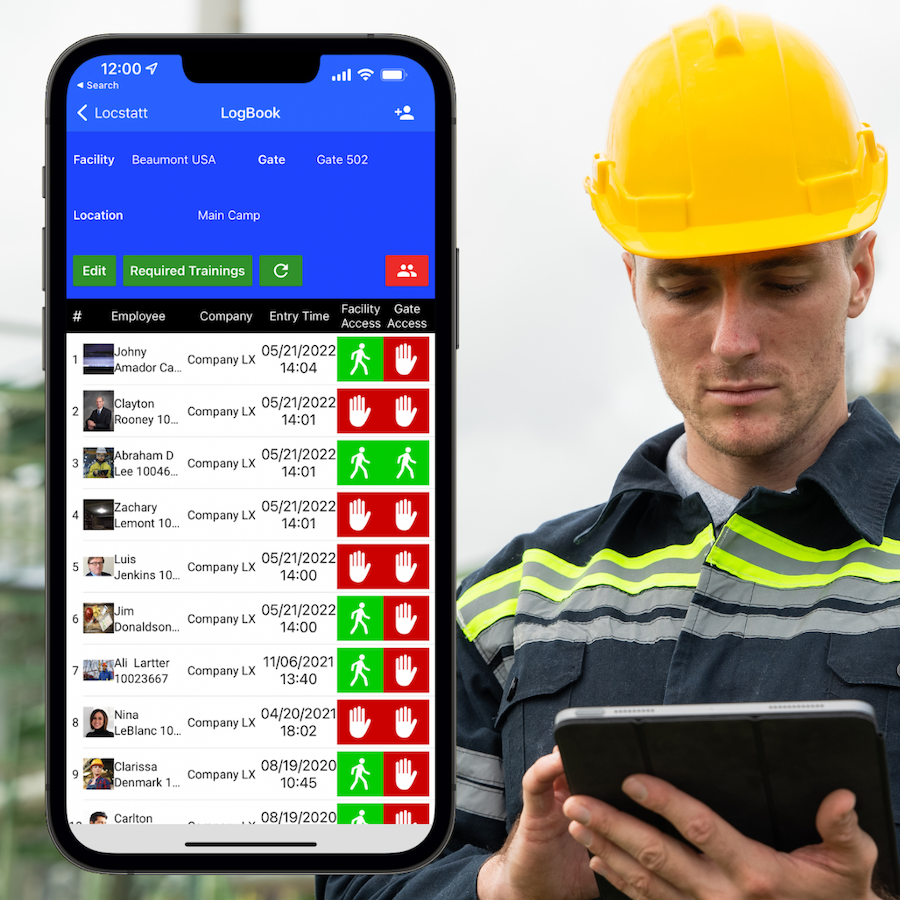
Put training records to work
Review training completed through meetings alongside facility and gate training requirements.
Turn safety meetings into recorded learning
Explore meeting types, scheduled materials and the connected training workflow for your operation.