for the work.
Connect training requirements with the places people work. Check compliance by facility and gate, record daily arrivals and departures, and keep your workforce visible across operations.

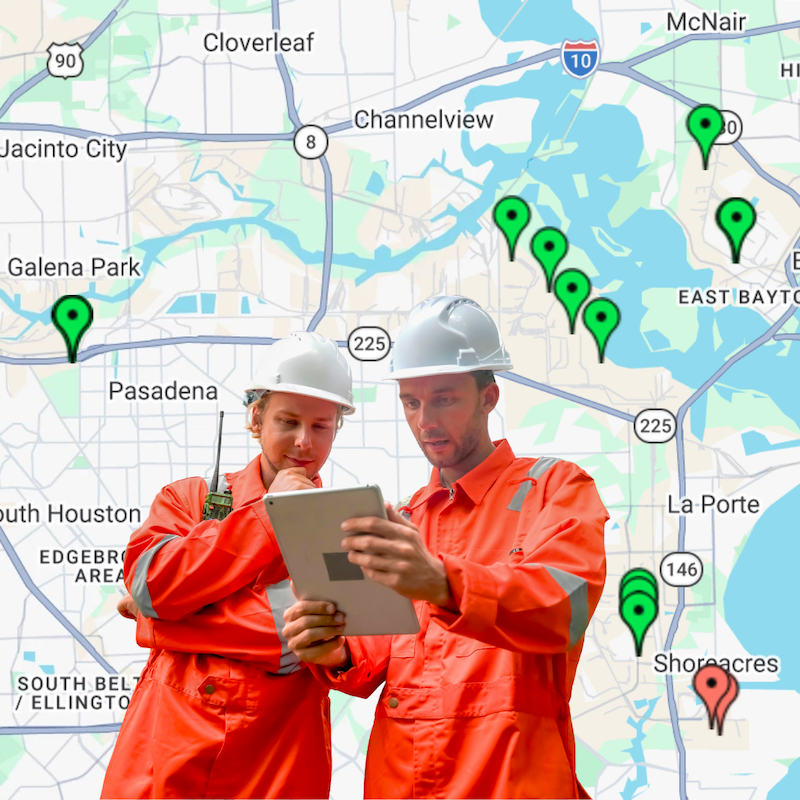
Start with the need.
Make the Logbook fit.
Use the module to manage required training and site presence together, or use it as a basic timesheet application for entrance times and man hours.
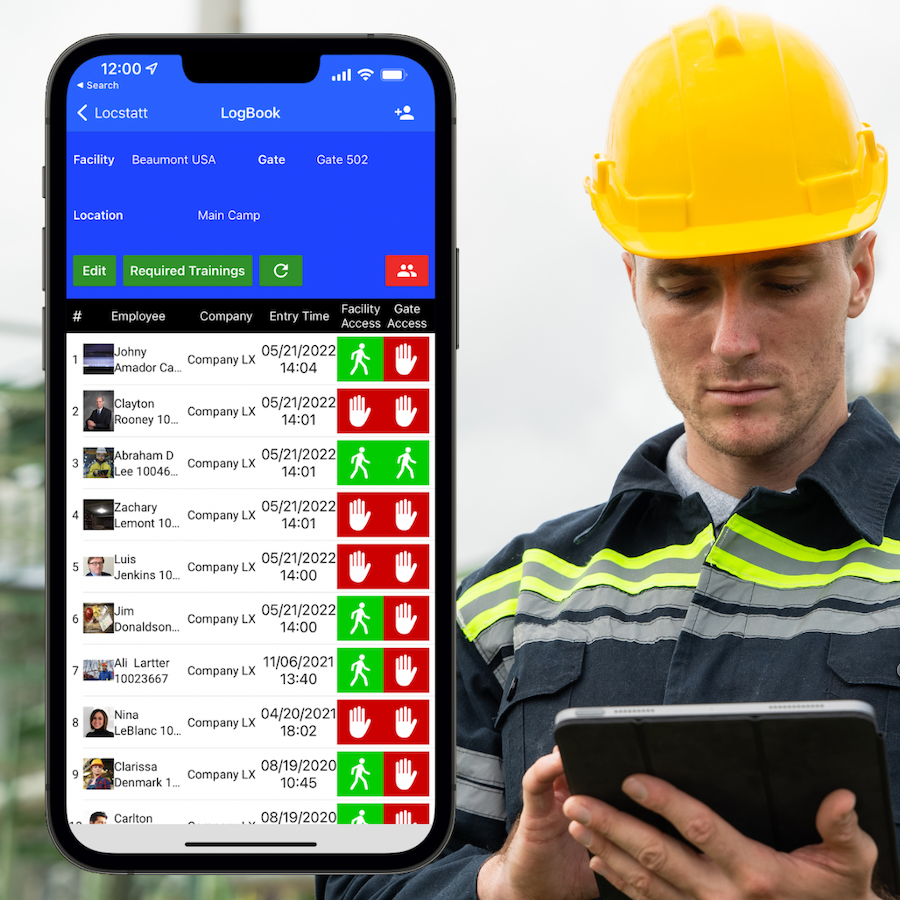
Bring requirements to the entrance
Assign courses to operational facilities and gates.
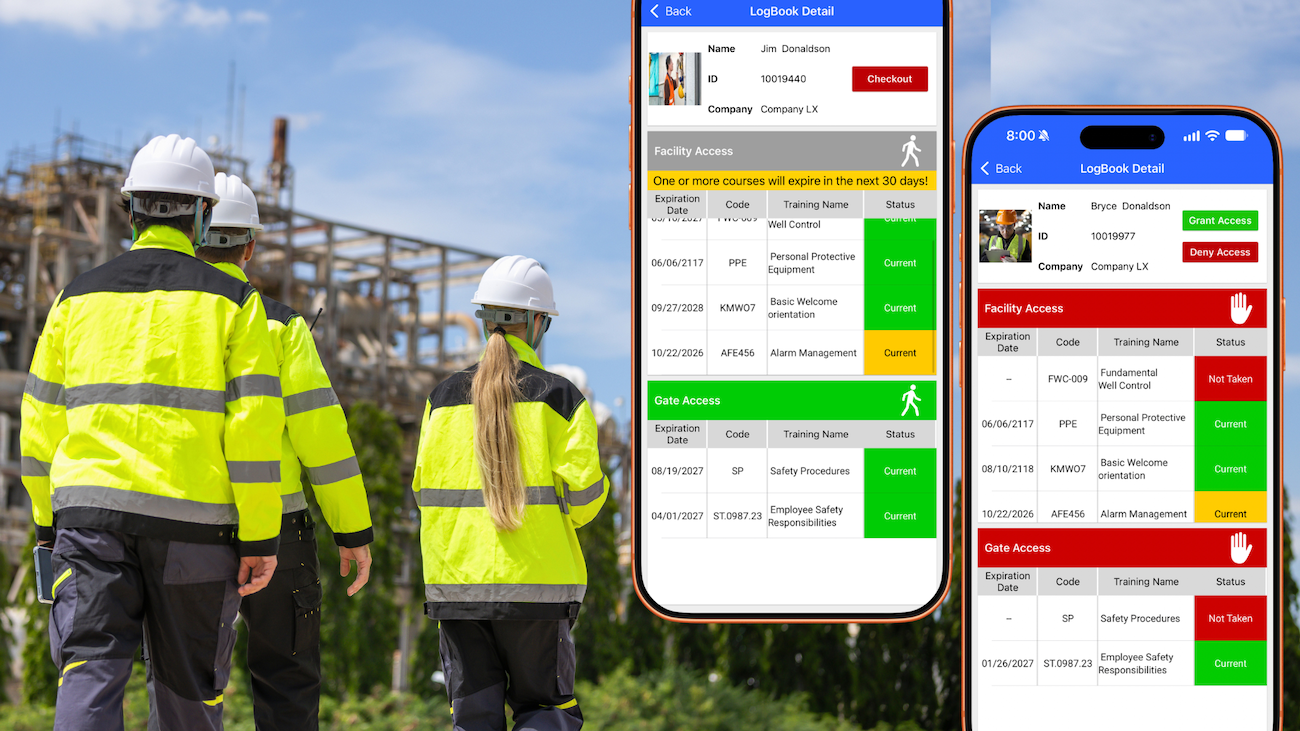
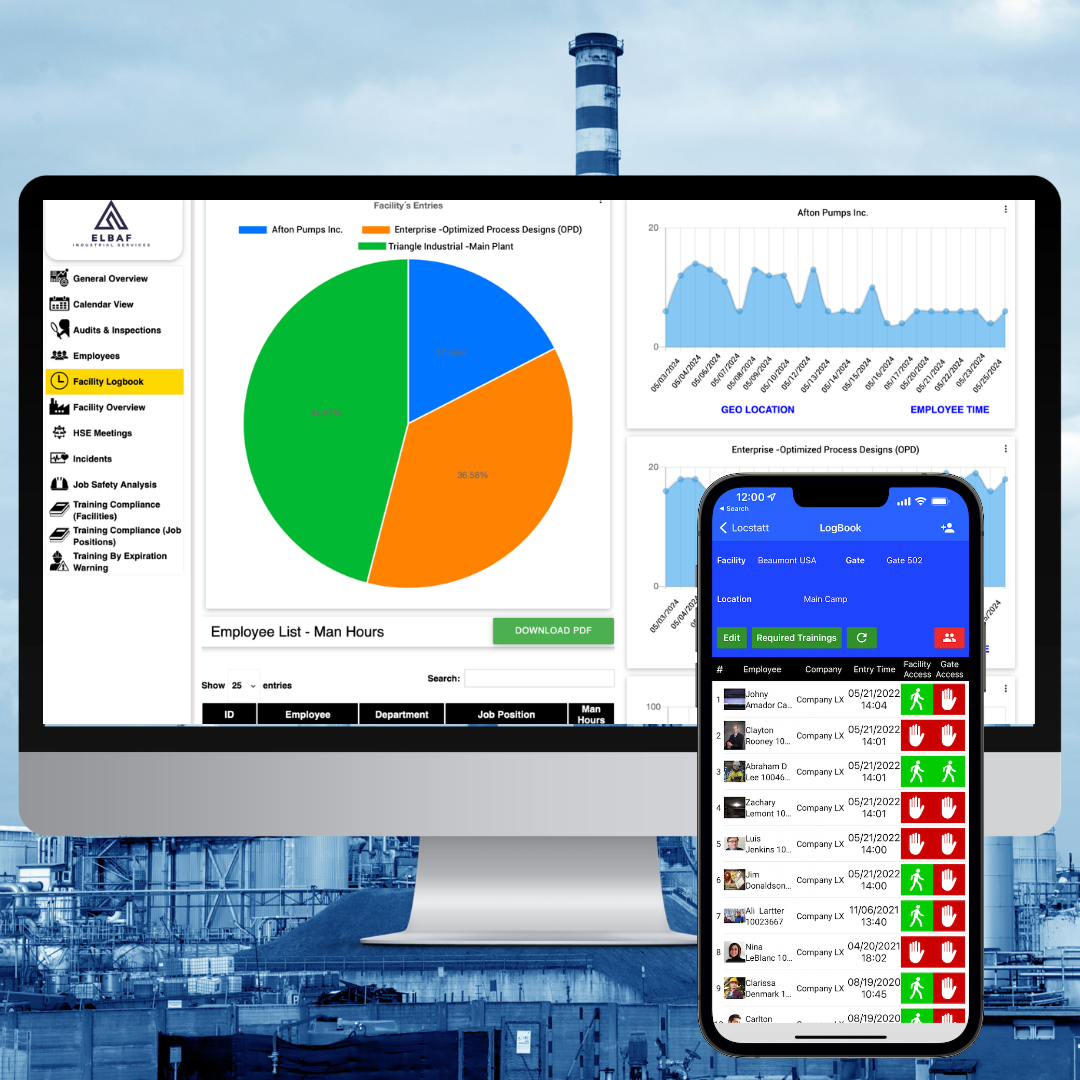
Supervisors see the employee’s required-training status in real time through the mobile app, alongside daily check-ins and checkouts.
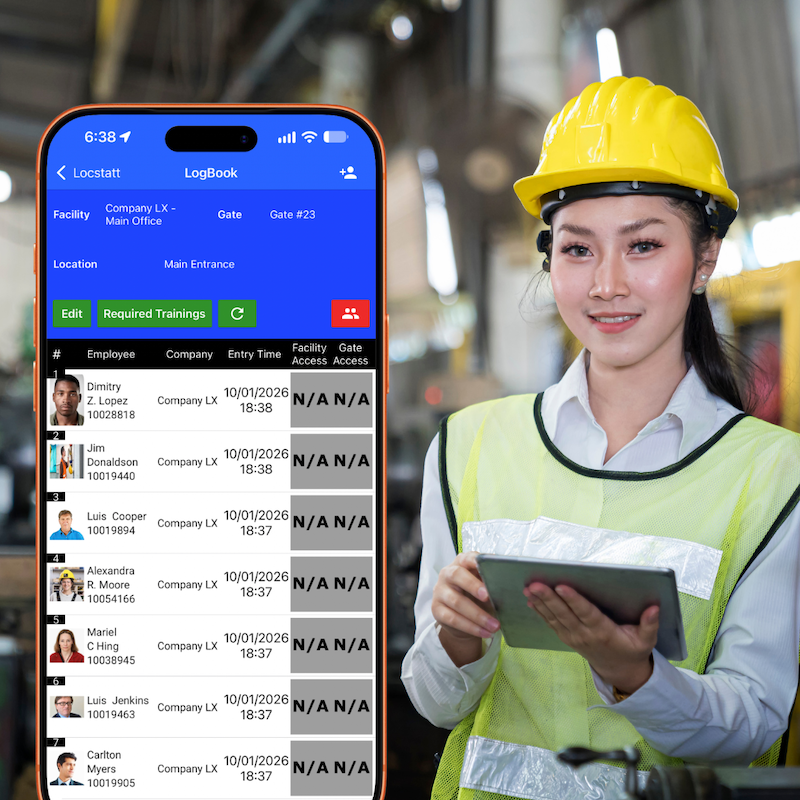
Keep time and attendance in view
Use the Logbook just to record entrance times and manage man hours across work areas.
Required-training checks can be part of your workflow when your operation needs them.
Different gates. Relevant training.
Reflect the training needs of the entire site or the work area the employees are entering. Supervisors use the mobile app to review current compliance, with GO/STOP warnings based on the configured requirements.
Check in.Check out.
Keep the record connected.
Supervisors record employee arrivals and departures in the mobile app. Each daily movement helps maintain a clearer picture of who is working in each facility or location.
Identify the employee
Scan a printed or electronic QR badge with the mobile app.
Training Equivalences
Updated records and recognized course equivalencies keep the view connected to your training information.
Record the movement
Use daily check-ins and checkouts to maintain site-presence records.
See the time.
Understand the hours.
A practical option when you need to manage entrance times and man hours. Use the Logbook as a basic timesheet application across your facilities and work areas.
Across operational locations
Review hours where employees work, including different projects or client locations.
Ready for reporting
Use exported information to support monthly reviews and cross-check invoices.
Choose your starting point
Manage time alone, or combine time records with facility and gate training requirements.
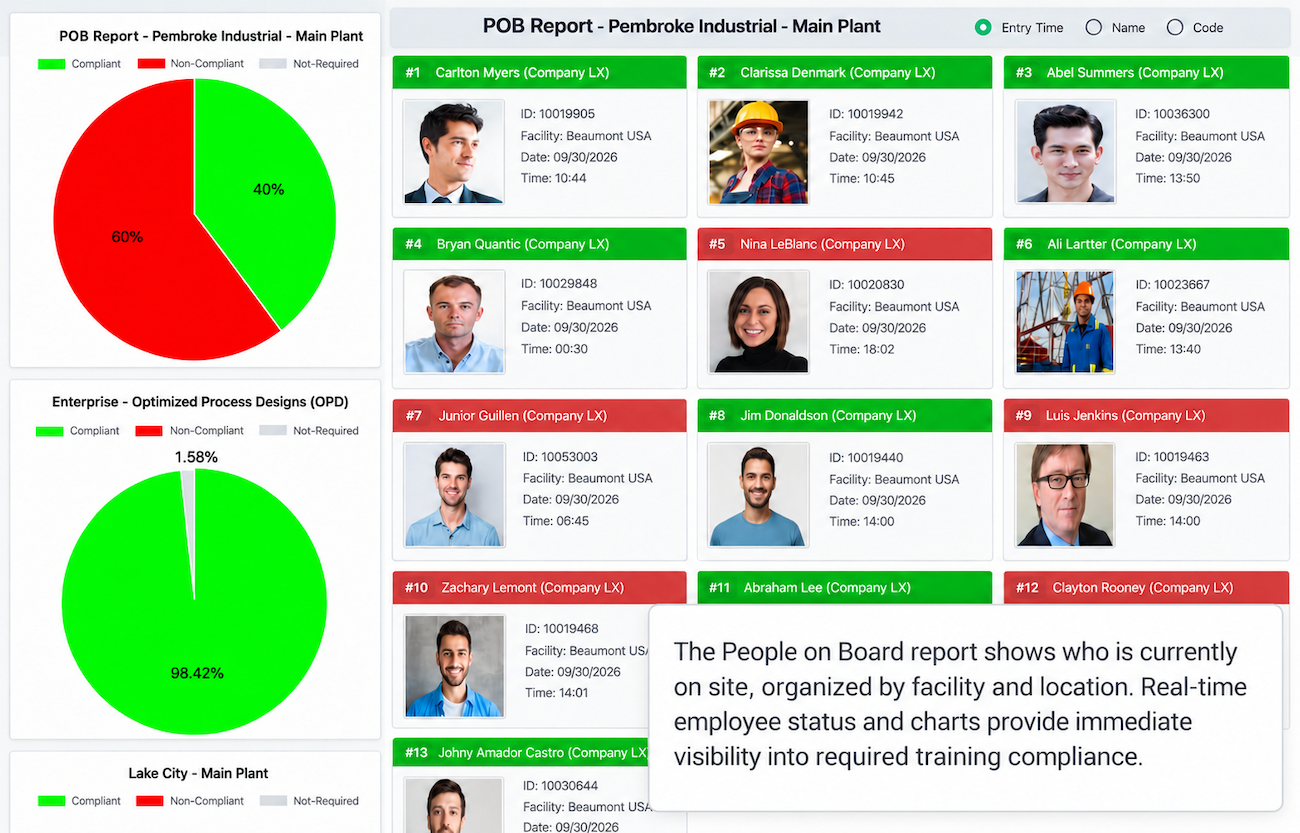
Make workforce visibility part of your emergency readiness. Daily check-ins and checkouts give this report its operational value. Keep those records current as people move through the workday.
COMPLETE THE TRAINING
Put the record to work.
Facility Logbook and Locstatt Training work together across industries. Training records saved through the different learning scenarios offered by Locstatt and Traina Culture are automatically available in Logbook reports.
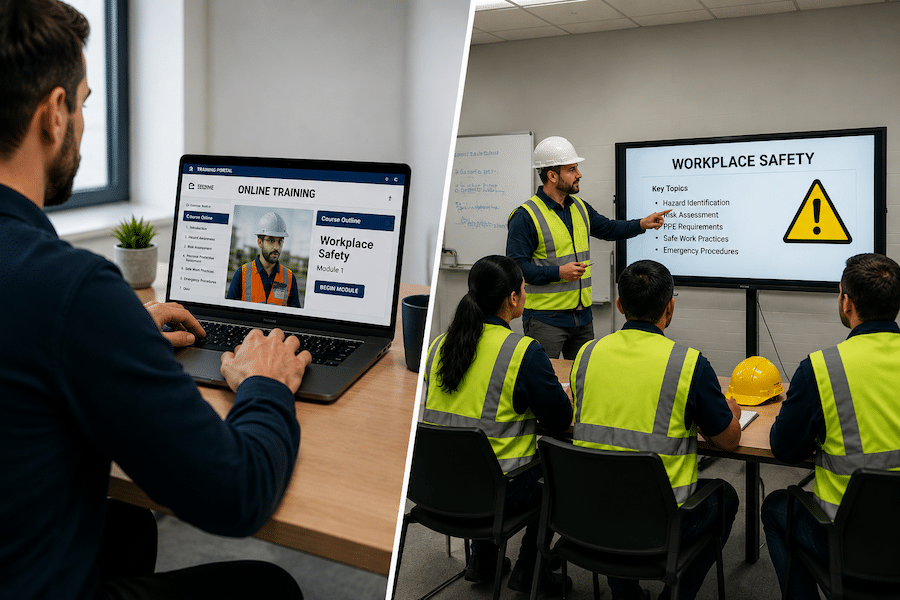
Whether learning happens in the field, in a scheduled session or online, the saved record helps supervisors review the training required for the facility and gate.
Train
Deliver learning through your training workflow.
Record
Save the employee’s completed training.
Review
See the record in Logbook reports and check it against site requirements.
Your sites.
Your requirements.
Your starting point.
Can requirements differ between facilities and gates?
Yes. Assign required training to operational facilities and specific gates so supervisors can review the requirements relevant to each entrance or work area.
Can we use the Logbook only as a basic timesheet application?
Yes. You can use it just to manage entrance times and man hours, or combine these records with required-training management.
How does the POB report help during an emergency?
It brings site-presence information together by facility and location, helping teams identify people at the affected location. Keeping daily check-ins and checkouts current makes that information more useful.
Do training records have to be entered again in the Logbook?
Training records saved through Locstatt and Traina Culture are automatically available in Logbook reports. The module connects those records with your configured facility and gate requirements.
Bring your workforce
into a clearer view.
See how facility requirements, daily presence, People on Board and man hours can work together in your operation.