Prepare the crew. Verify the work.
Turn a library of task-specific JSA templates into practical teaching moments and confident field checks. Connect the hazards, controls and qualifications behind every job in one integrated Locstatt HSE system.

to verified practice.
Start with the task’s JSA template. Use it to prepare the crew in a JSA meeting, then carry the same structure into an on-site verification. Each stage gives the next one useful context.
Build the library
Define the task, its steps, hazards and controls in reusable JSA templates.
Lead the meeting
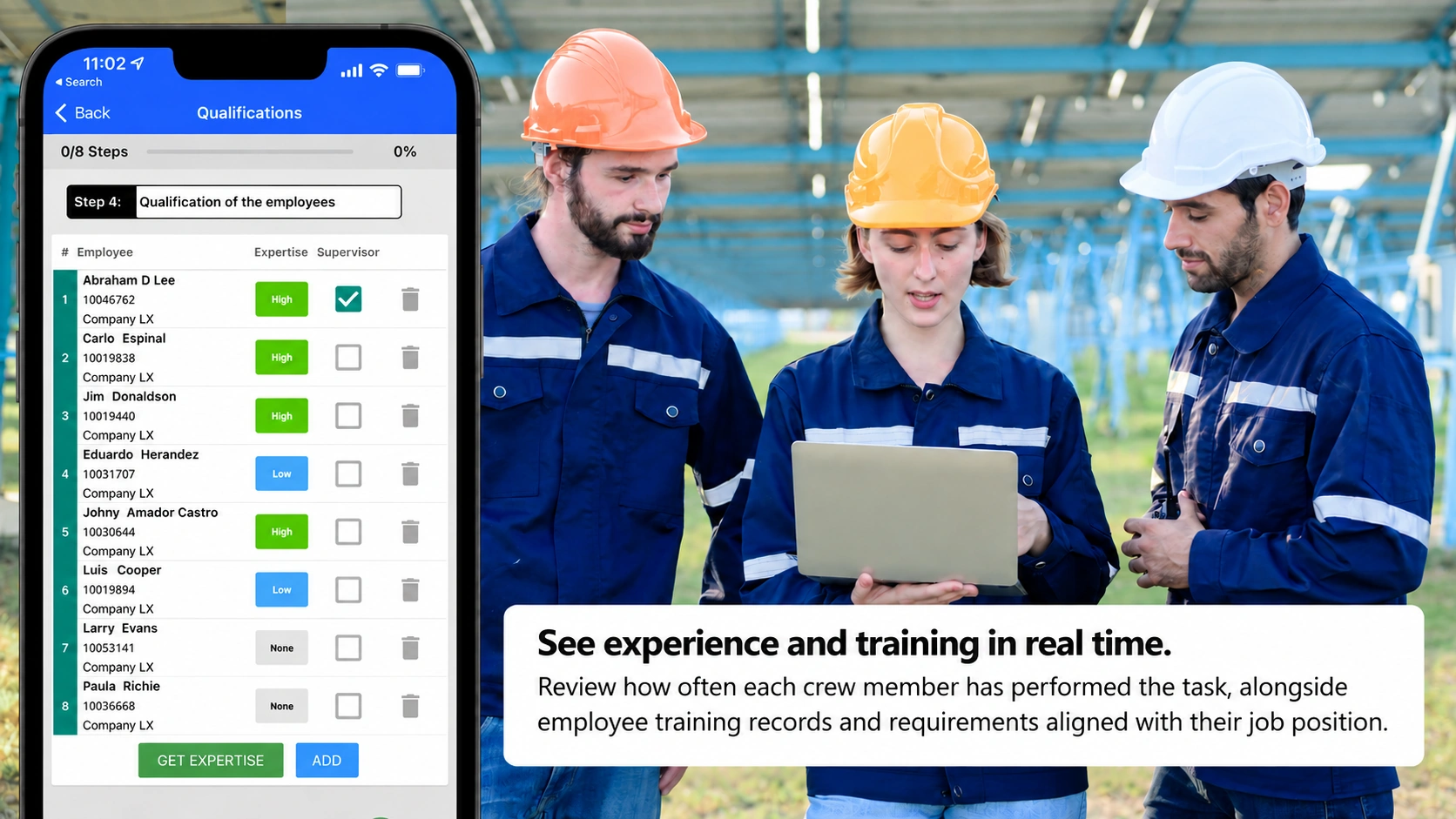
Review the template with the crew and check experience and training before verification.
Verify in the field
Walk through the task on site and confirm PPE and controls are in place.
Create detailed templates for the tasks your teams perform every day.
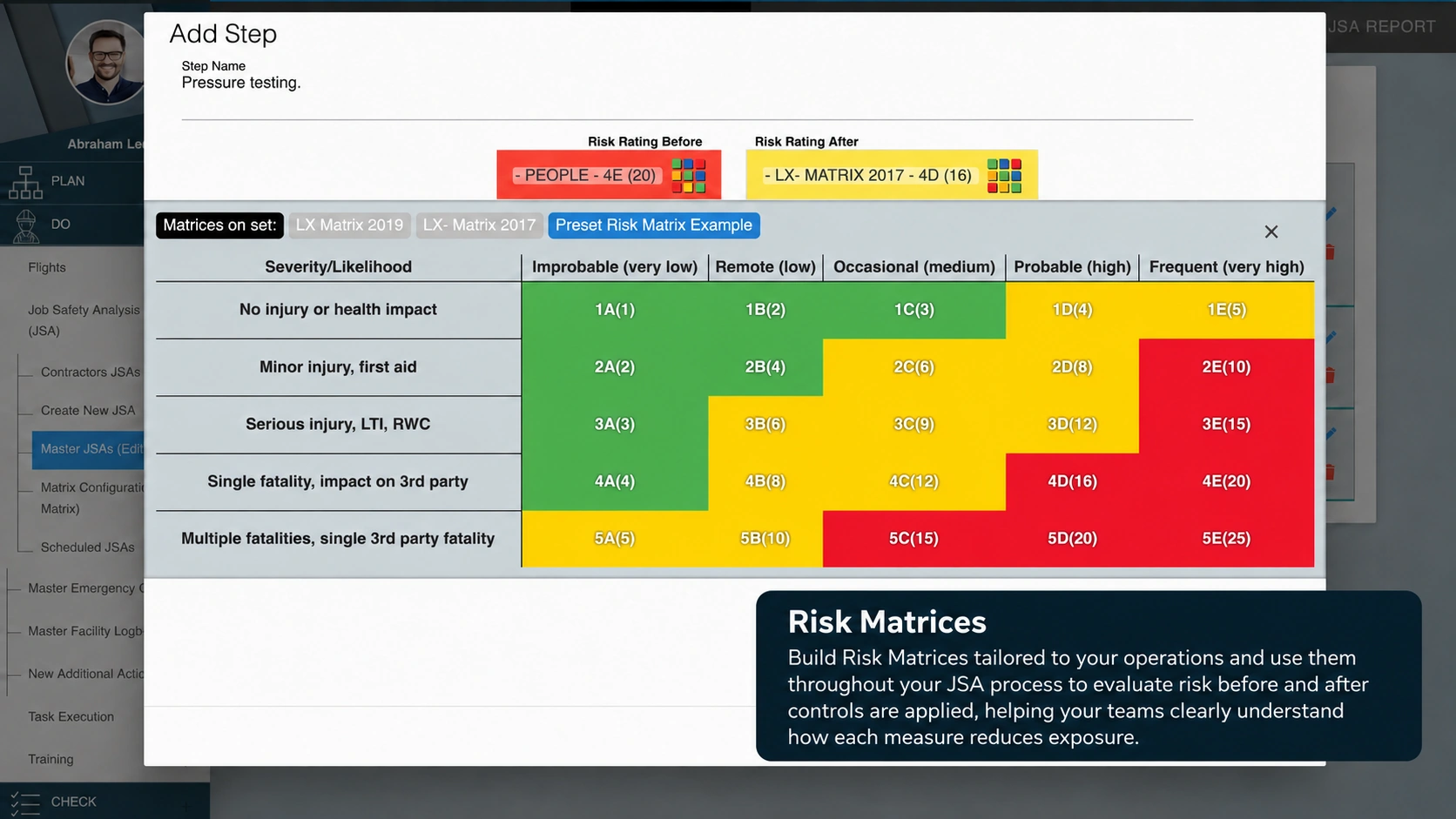
What makes a task template useful?
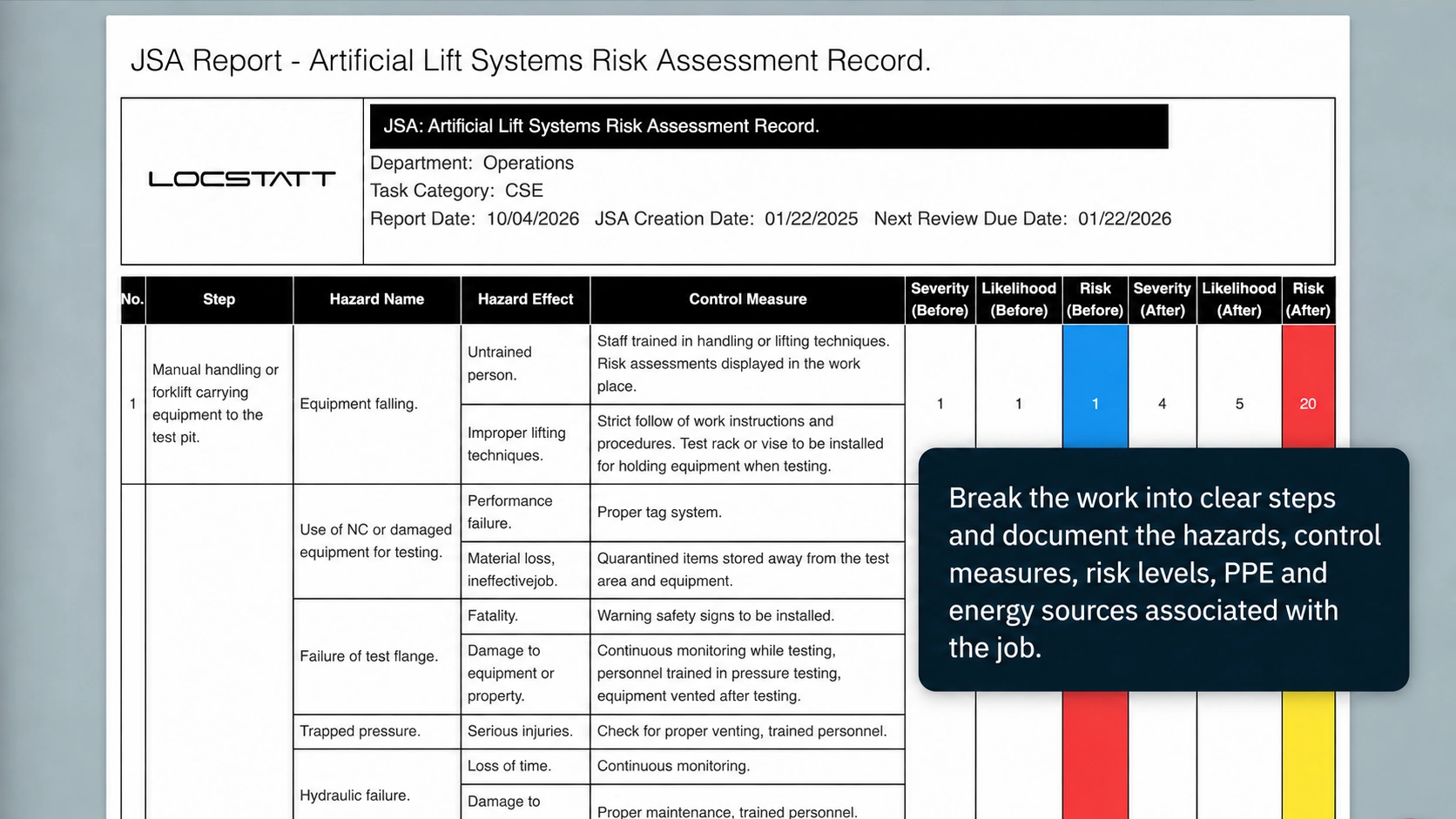
Locstatt’s JSA Library gives you access to a comprehensive, customizable database built on real-world experience and industry-specific lessons learned.
Task steps
A clear sequence that reflects the work.
Identified hazards
The exposures the crew needs to understand.
Control measures
The precautions to put into practice.
Risk levels & matrices
A consistent way to assess the task’s risks.
PPE & energy sources
The protection and energy context for each step.
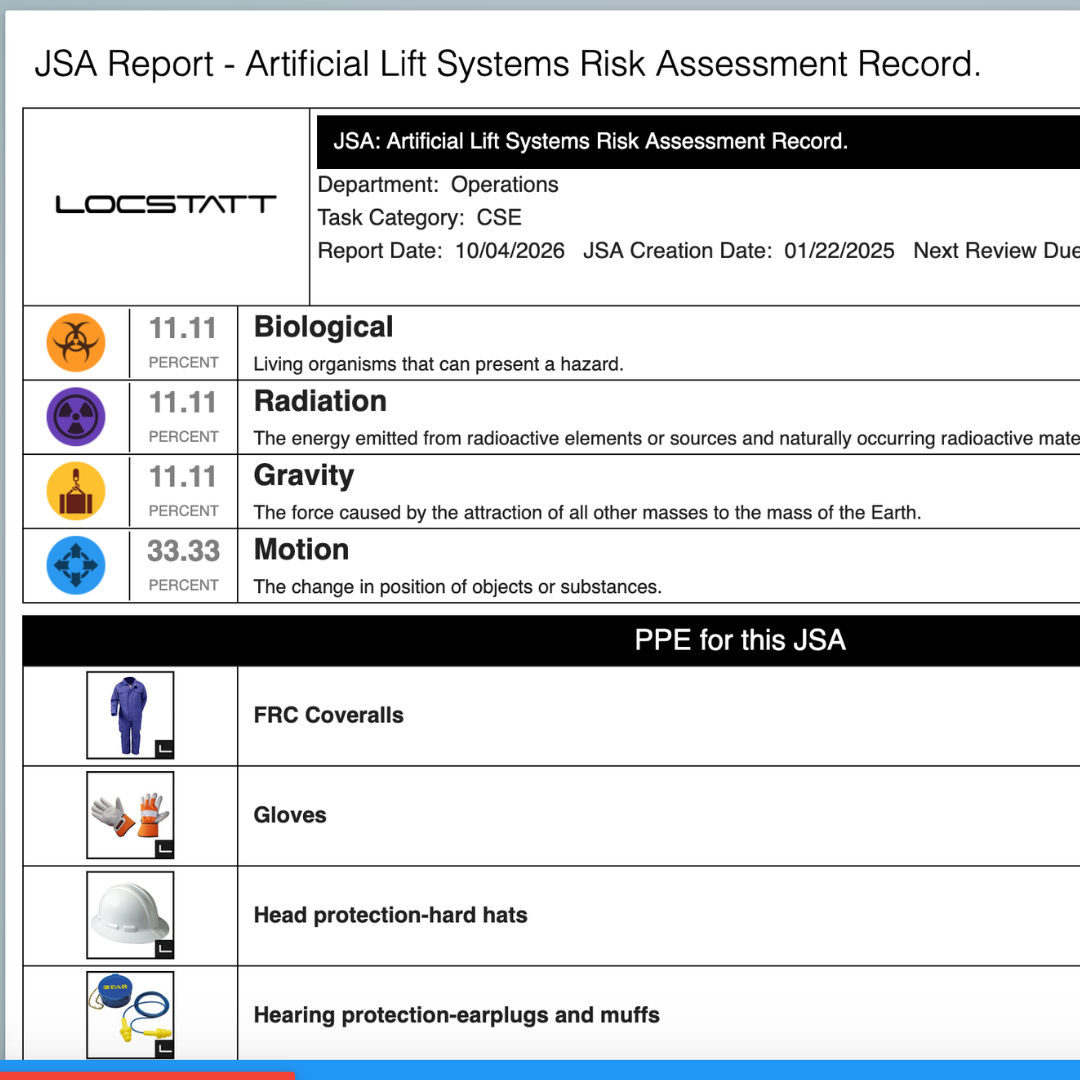
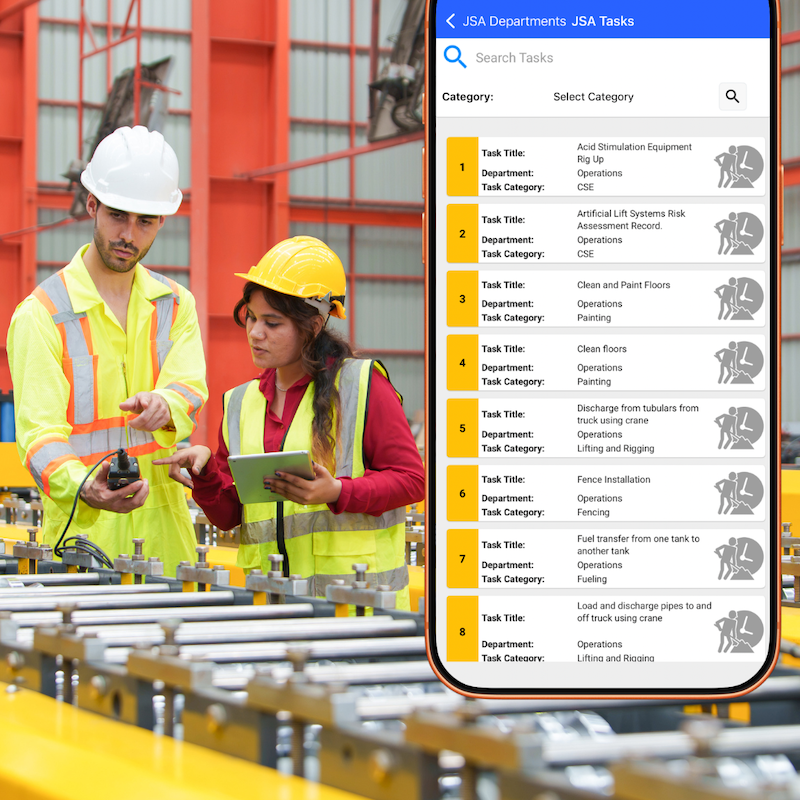
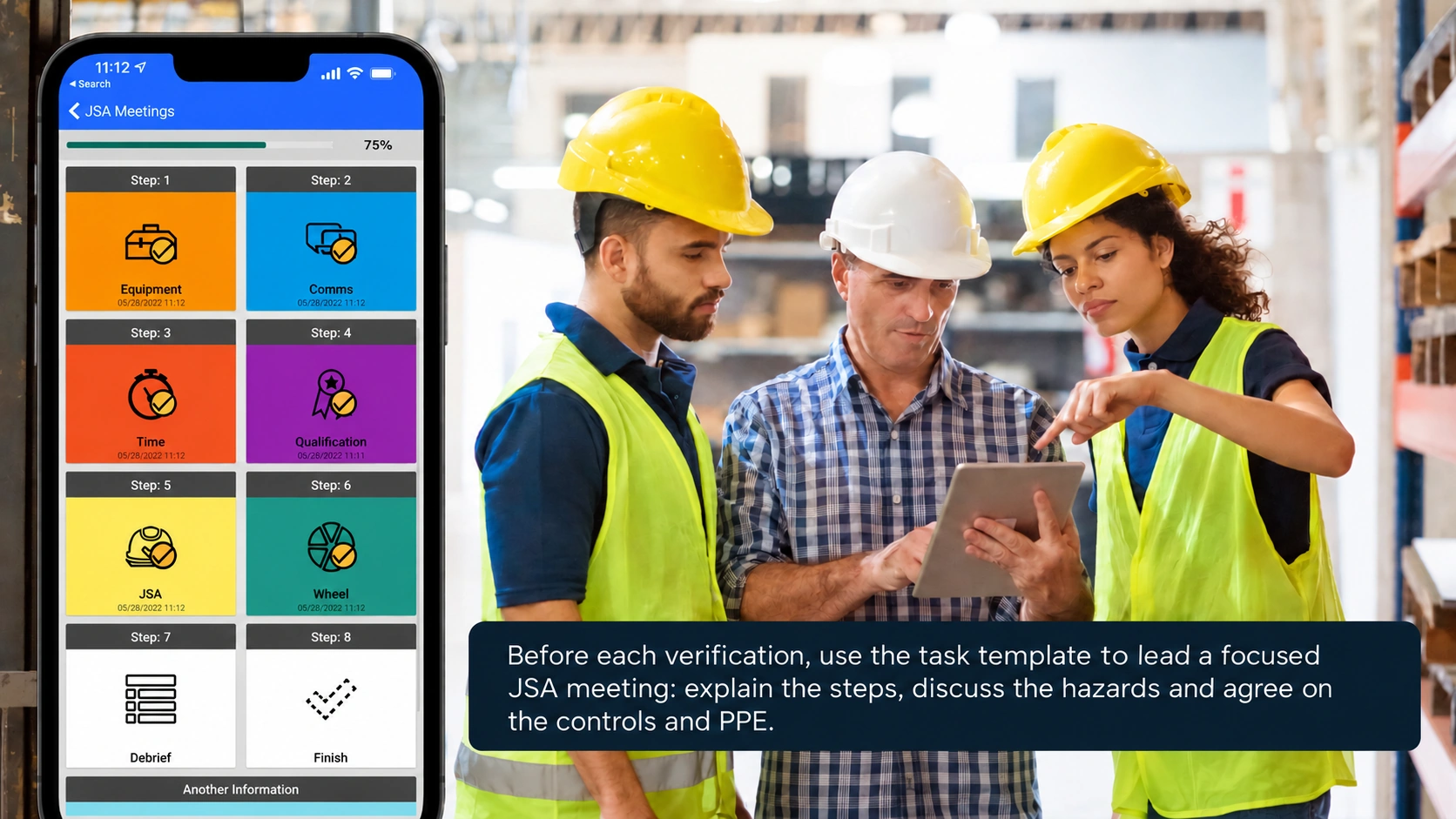
Review the JSA Taks with the crew before verification. Put the JSA library in supervisors’ hands through the Workstation mobile app.
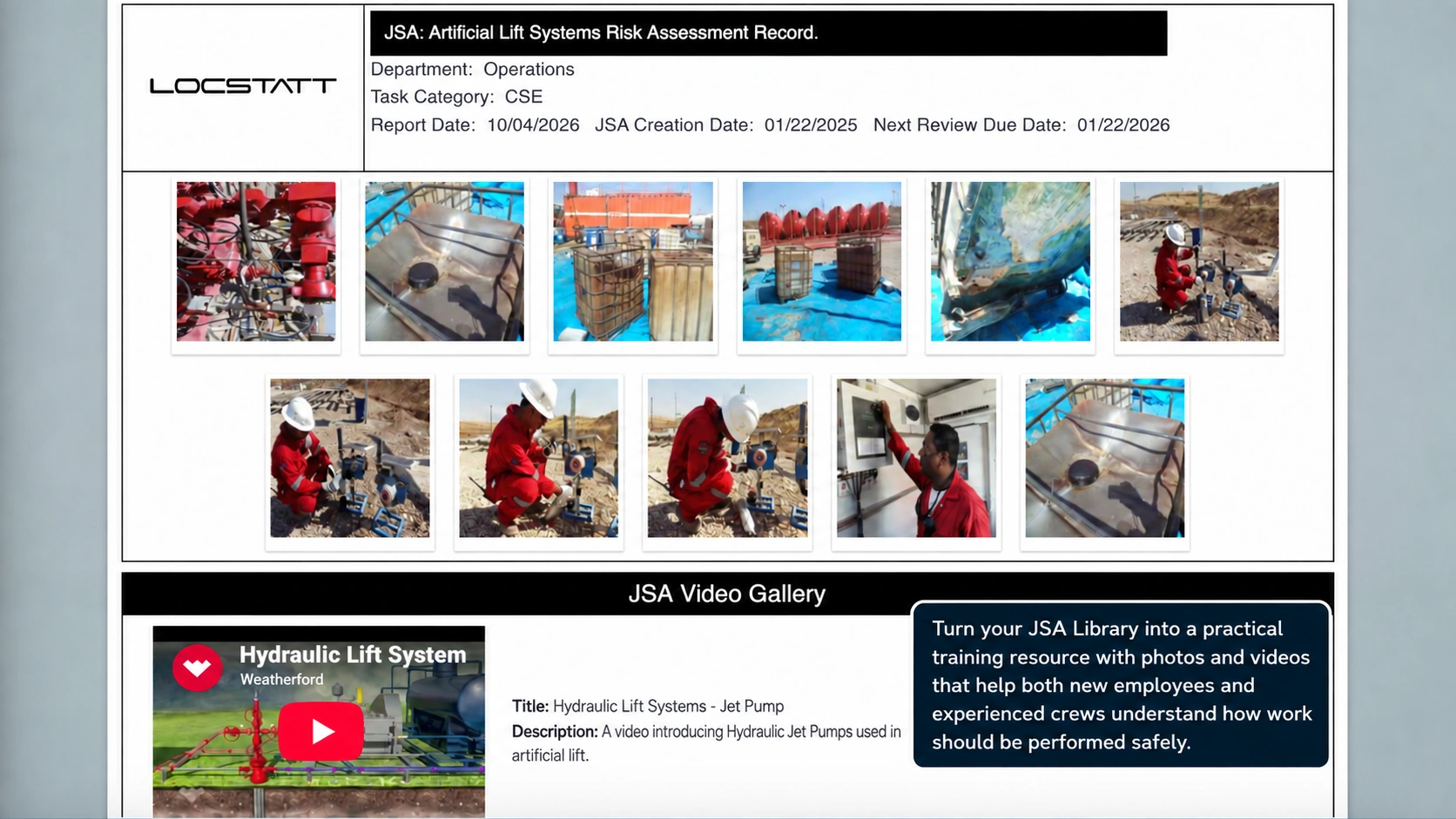
Train new employees
Bring that context into the discussion before the crew starts work.
Use the same documented process to introduce new employees to the task and reinforce expectations with experienced teams.
Debrief History
Every JSA meeting captures a debrief report with newly identified hazards, suggested template improvements and lessons learned by the crew.
This feedback is available in the JSA Library, giving supervisors a history of each template’s use across work areas and practical insights to improve future jobs and training.
After the JSA meeting, walk through the template on site using the Workstation app. Verify that crew members are wearing the appropriate PPE and that the task’s control measures are being implemented.
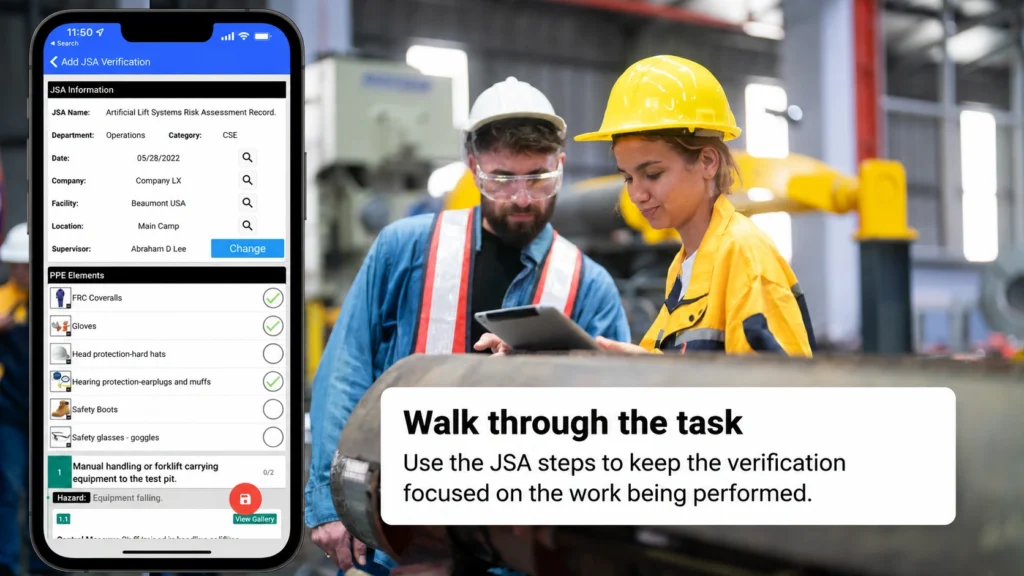
Check PPE and controls
Confirm the crew’s protection and the implementation of the measures documented in the template.
Capture the field context
Record employees involved, add comments and take photos.
Keep working beyond coverage.
Use offline mode to save field verifications, then synchronize when connectivity returns. Prepare the task information before heading into areas with limited coverage.
Keep clients and crews
working from the same reference.
Export JSA templates in PDF or Excel to share with clients or print when paper copies are needed. Make the steps, hazards and controls easier to communicate across the organizations involved in a job.
See how the process
performs across your company.
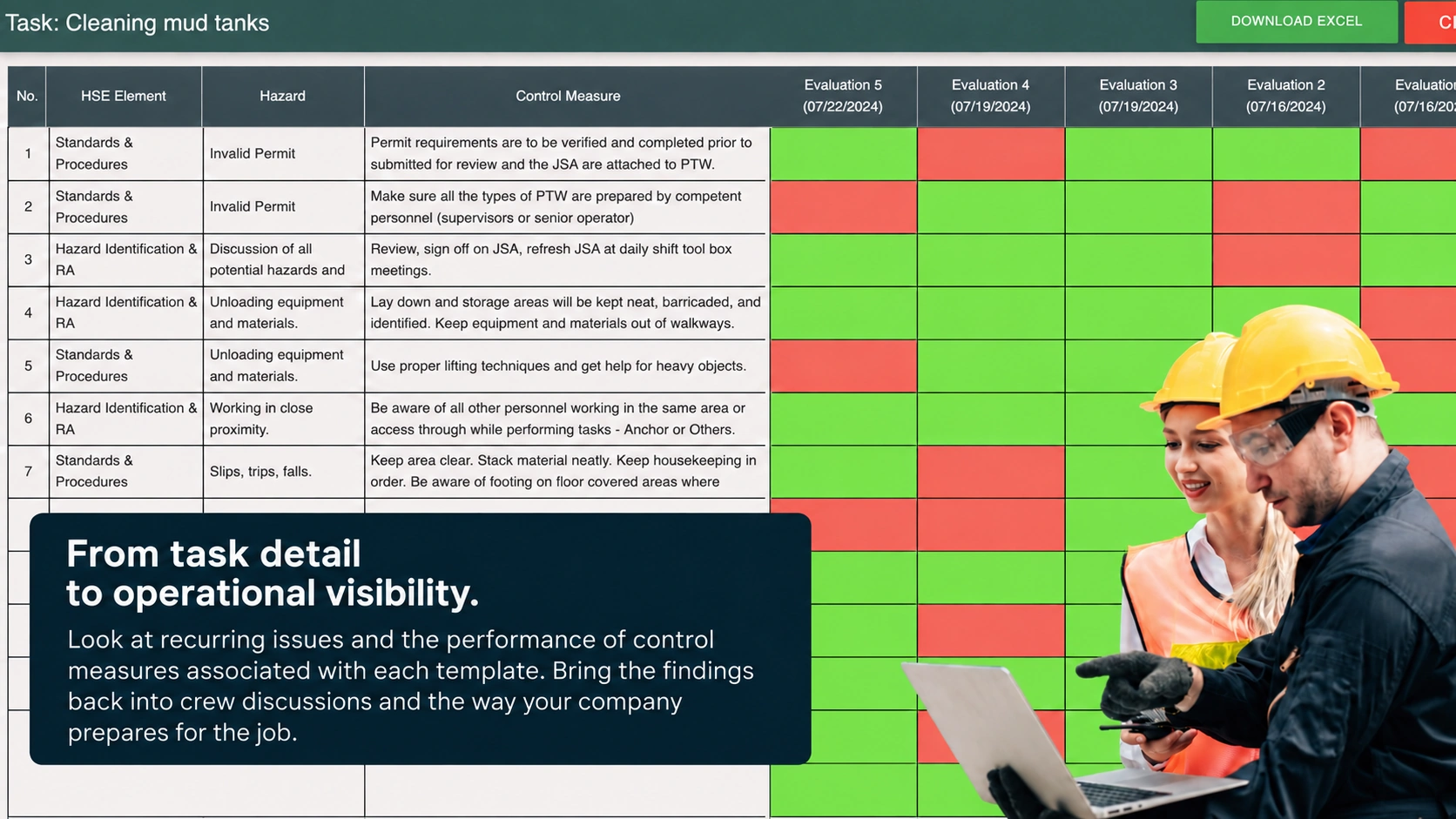
Review JSA meetings and verifications across tasks, departments, work areas and regions. Use reporting to compare activity and identify where closer attention or further learning is needed.
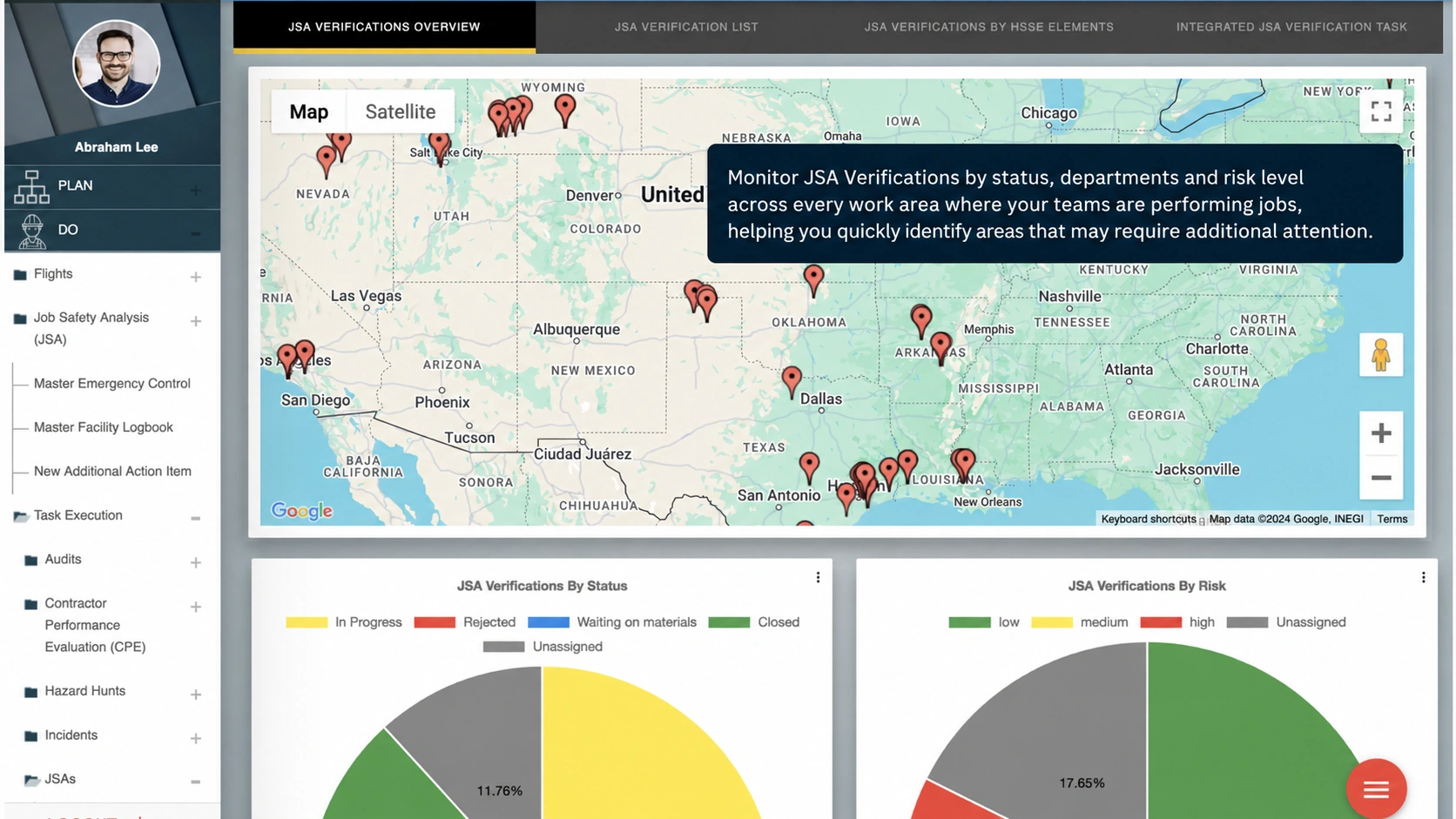
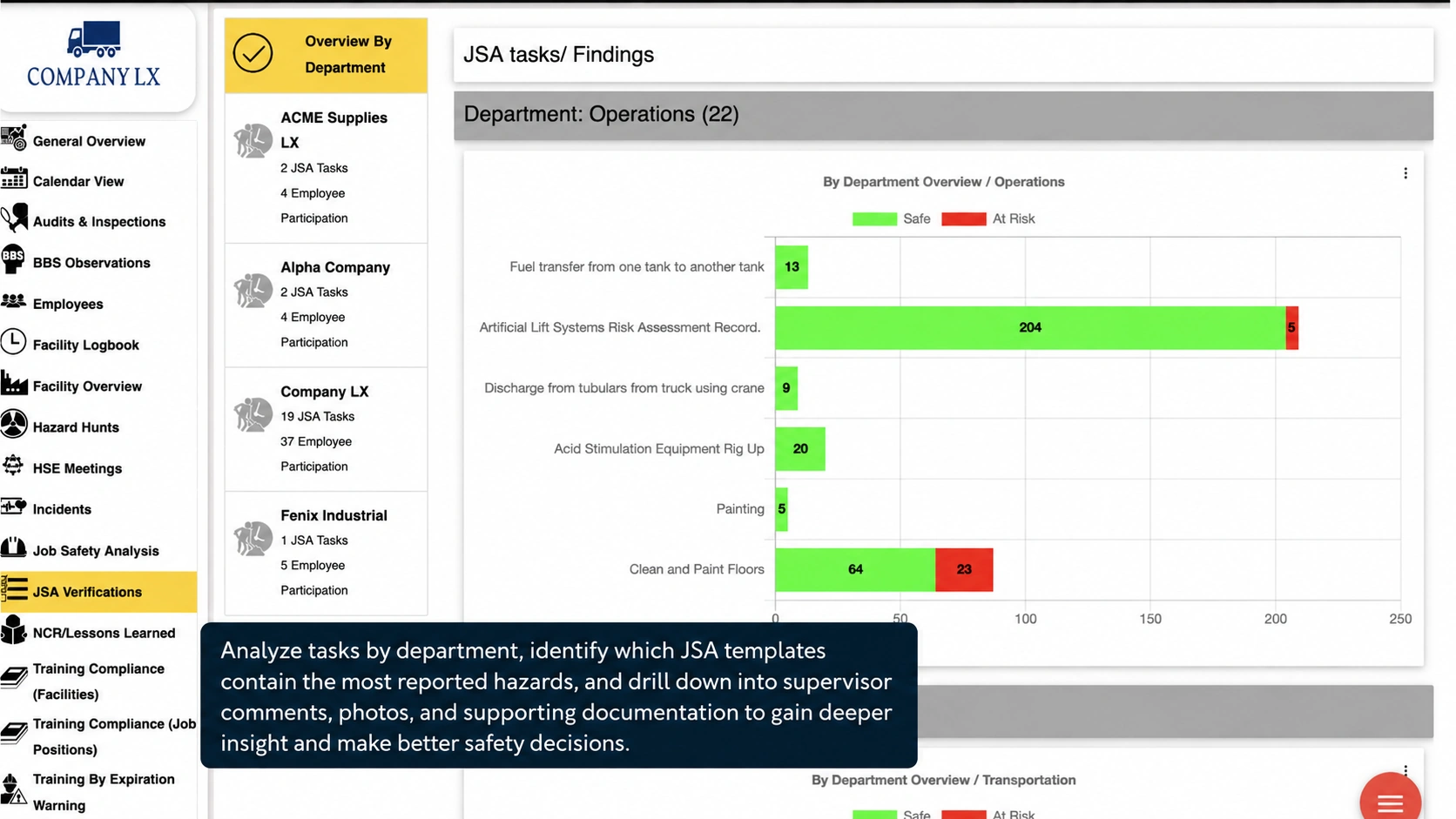
Understand recurring findings
See which tasks and risk levels deserve a closer review.
Review the controls
Examine how the measures defined in JSA templates are performing in practice.
Monitor verification goals
Set monthly verification goals for the company or teams and review progress across worksites.
A task library that supports both work and learning.
Use JSA templates to prepare people, guide field verification and make operational experience useful for the next crew. Connect that work with the wider Locstatt safety and training picture.
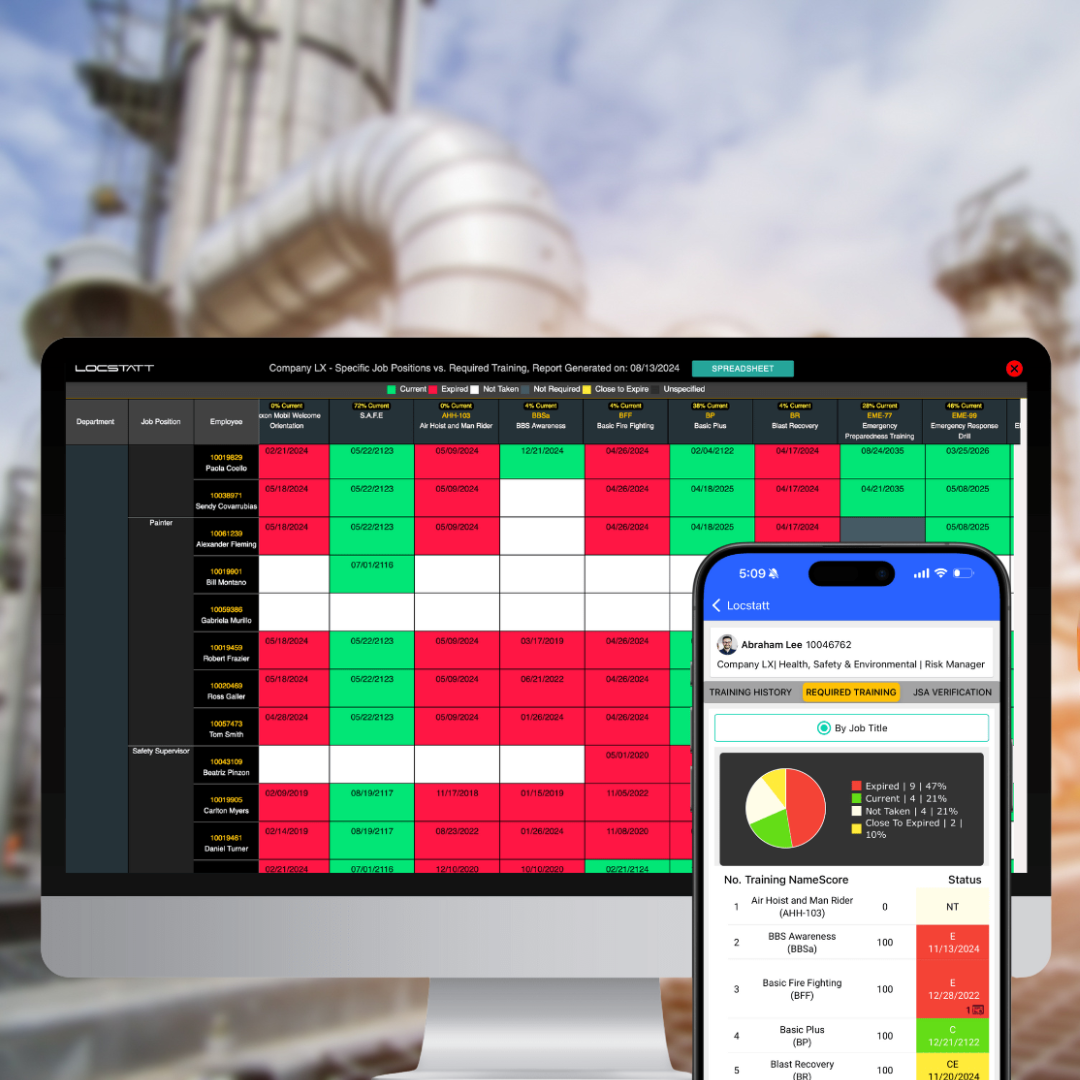
Bring qualifications into the briefing.
Use training visibility to inform JSA meetings and prepare employees for the task.
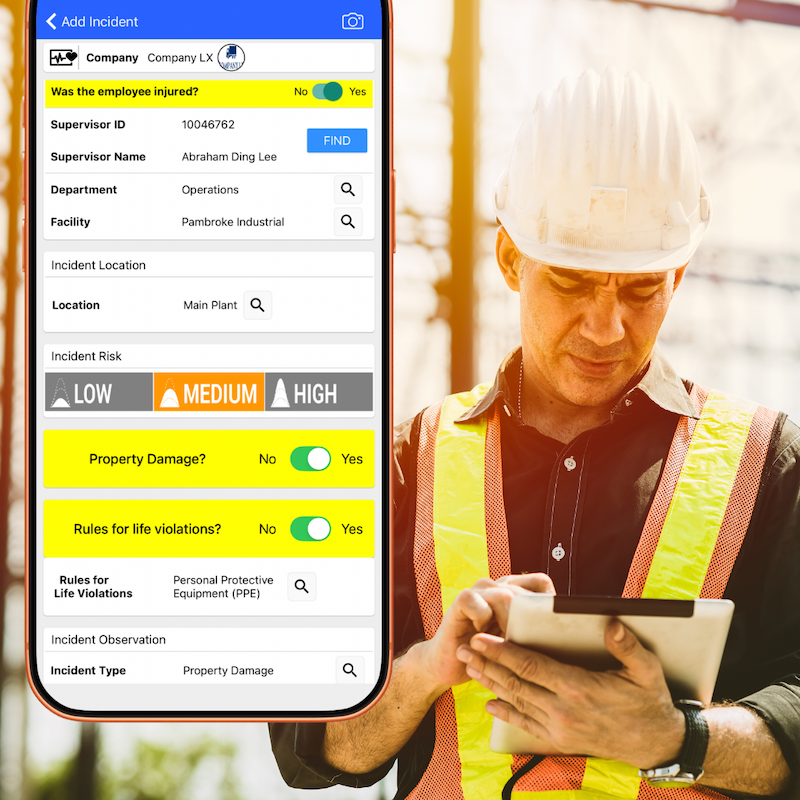
Bring real-world lessons into task planning.
Use incident findings to inform the hazards and controls your teams discuss.
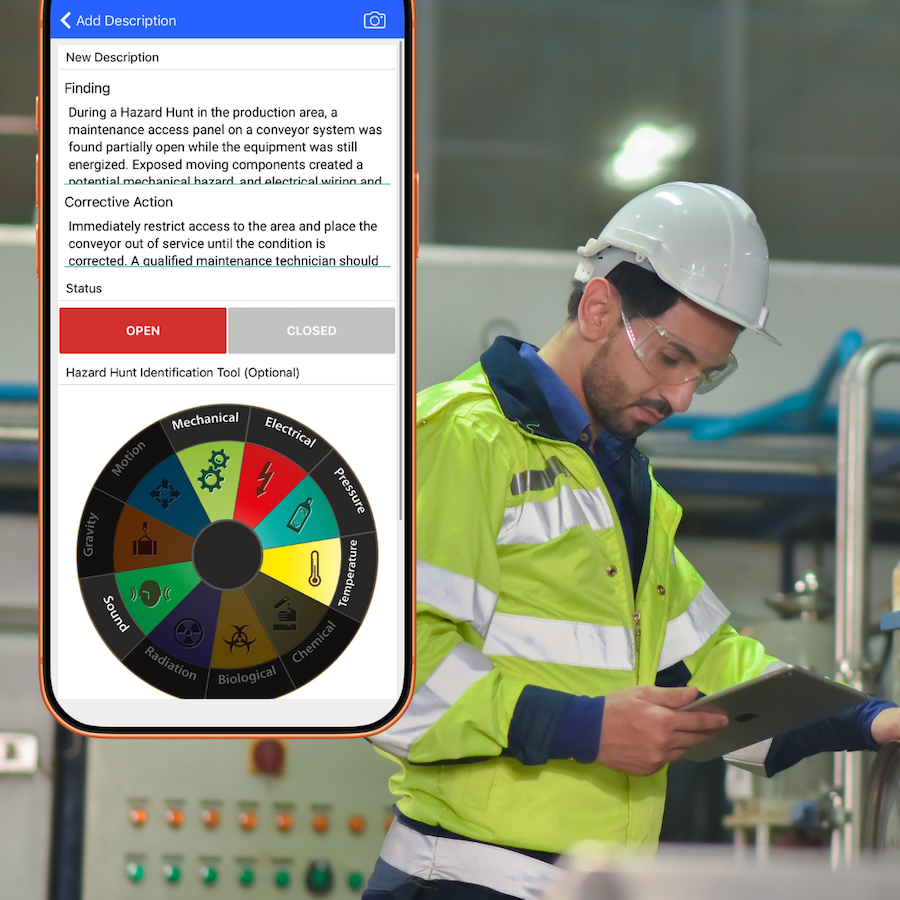
Keep proactive hazard awareness close.
Use what teams learn about energy sources and exposures to support task reviews.
Give every task
a stronger start.
Explore a Job Safety Analysis (JSA) workflow that brings your task library, crew preparation and field verification together.