Connect training requirements to each work location. Check compliance by facility and gate, record daily arrivals and departures, and track who is on site across your operations.
Choose the approach that fits your operation
Use the module to manage training requirements and site presence together, or use it as a basic timesheet to record entrance times and man-hours
Apply training requirements at each entrance
Assign training requirements to facilities and gates
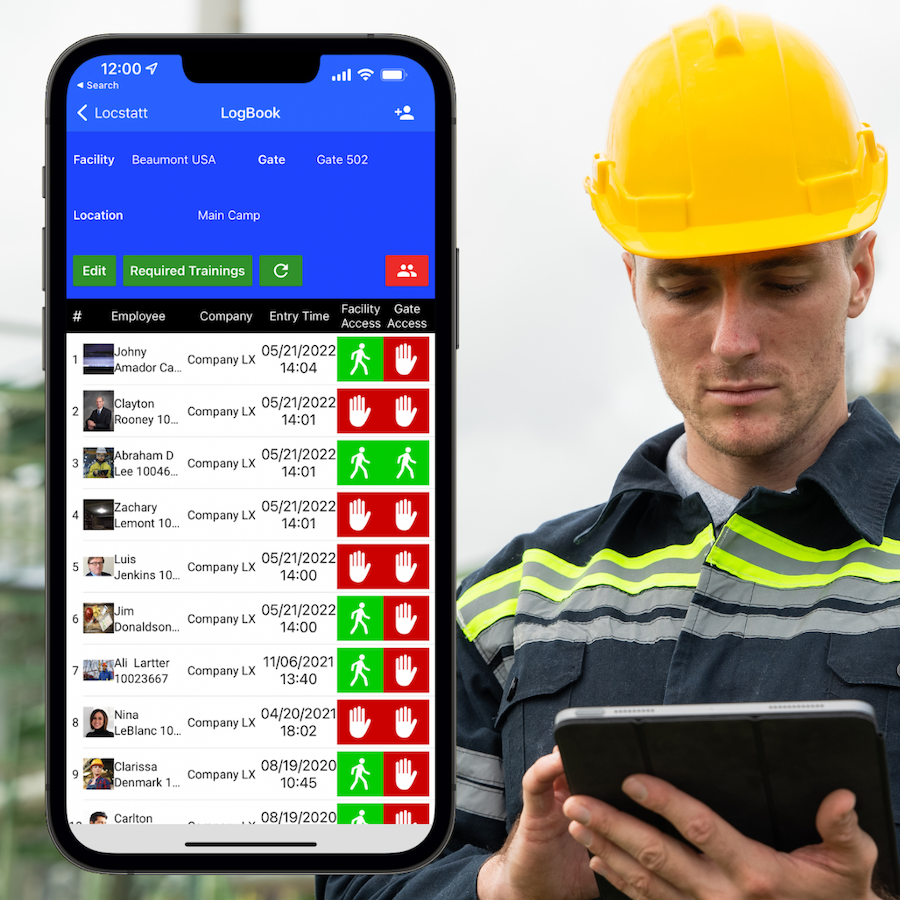
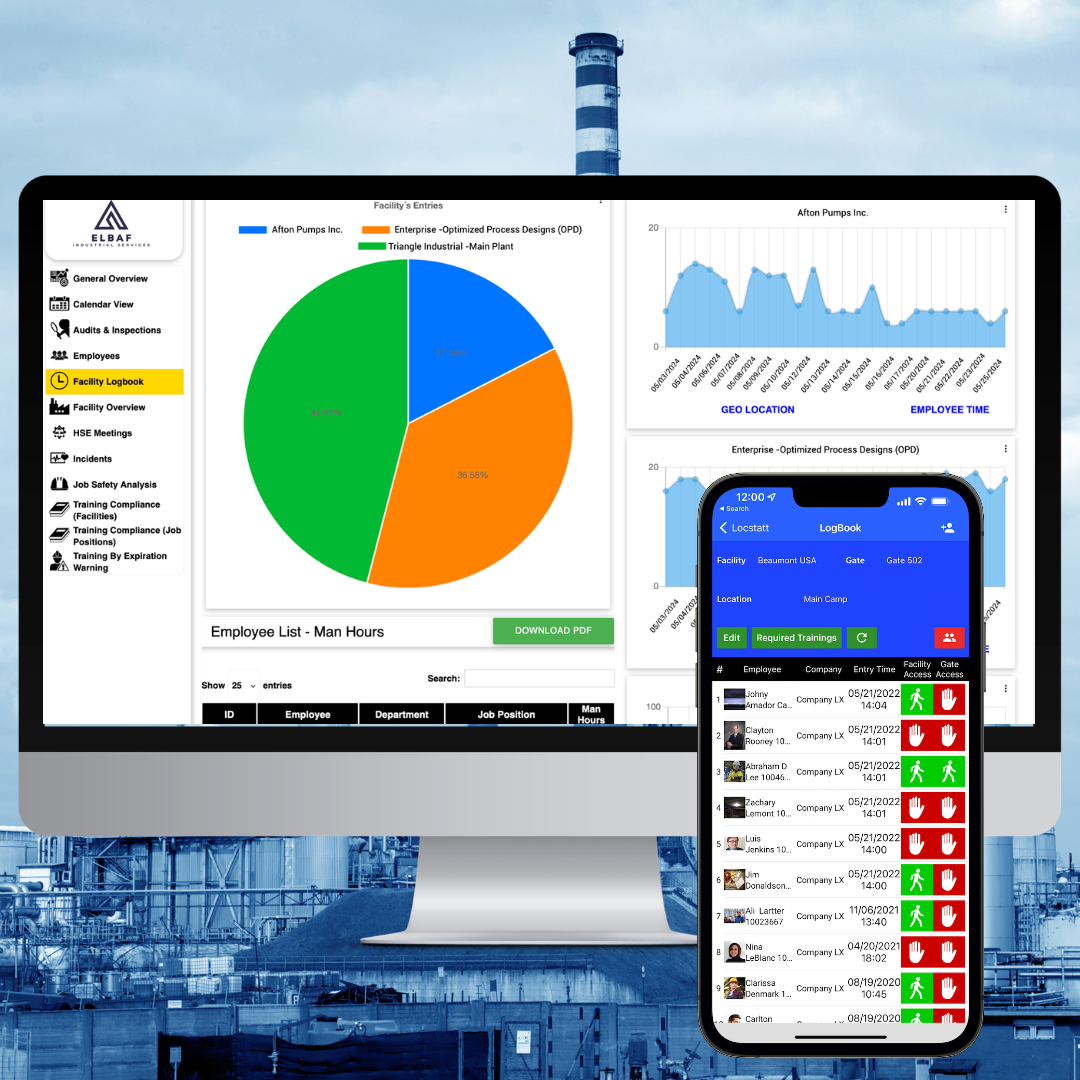
Supervisors can check each employee’s required-training status in real time through the mobile app, alongside daily check-ins and checkouts
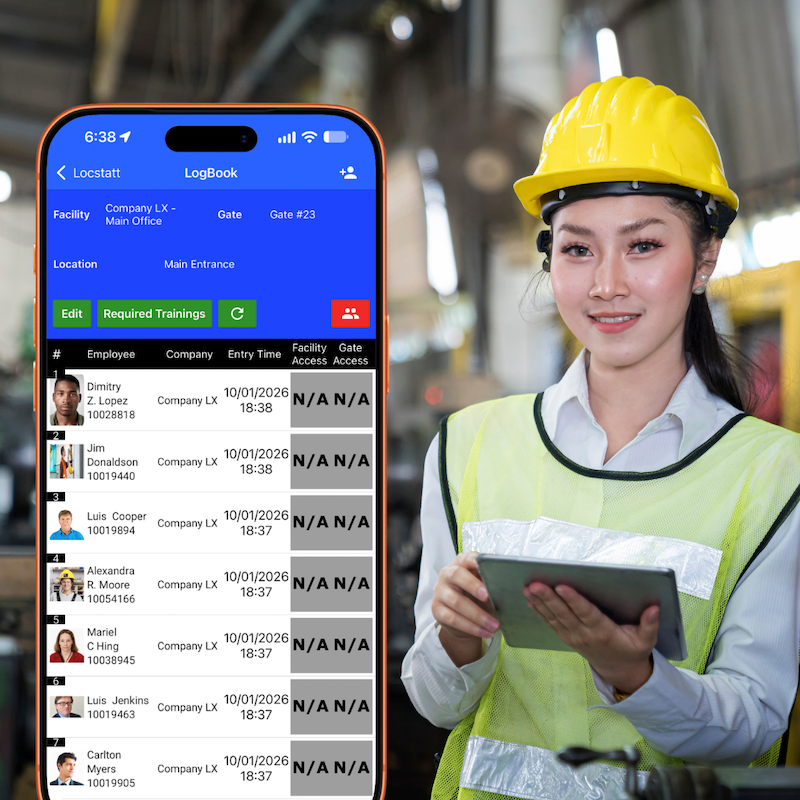
Track entrance times and attendance
Use the Facility Logbook to record entrance times and track man-hours across work areas
Include required-training checks when your operation needs them
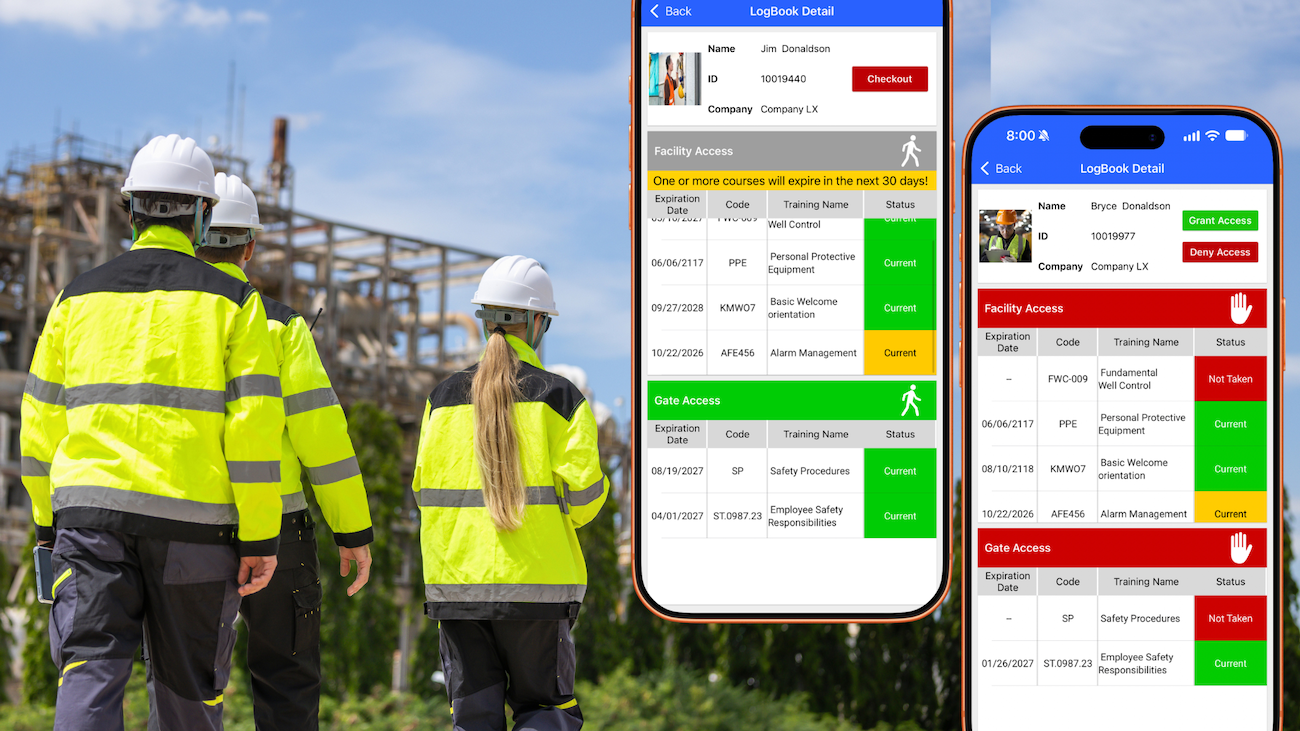
Different gates. Relevant training.
Set training requirements for the entire site or for individual work areas. Supervisors use the mobile app to review current compliance and see GO/STOP warnings based on the configured requirements.
Check in. Check out.
Keep the records connected.
Supervisors record employee arrivals and departures in the mobile app. Each daily movement helps maintain a clearer picture of who is working in each facility or location.
Identify the employee
Scan a printed or electronic QR badge with the mobile app.
Training Equivalences
Updated records and recognized course equivalencies keep the view connected to your training information.
Record the movement
Use daily check-ins and checkouts to maintain site-presence records.
See the time.
Understand the hours.
A practical option when you need to manage entrance times and man hours. Use the Facility Logbook as a basic timesheet application across your facilities and work areas.
Across operational locations
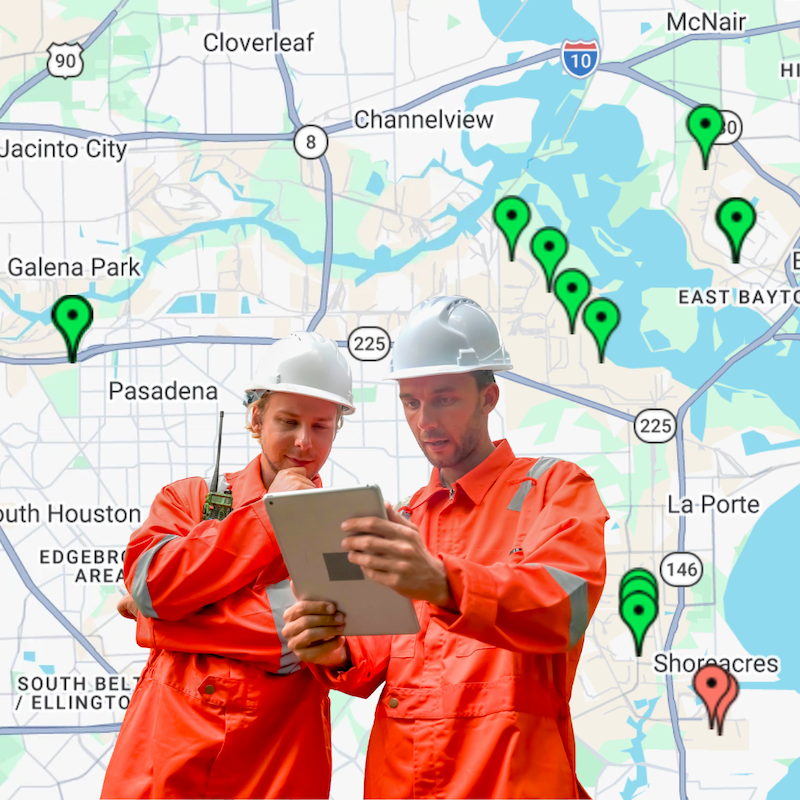
Review hours where employees work, including different projects or client locations.
Ready for reporting
Use exported information to support monthly reviews and cross-check invoices.
Choose your starting point
Manage time alone, or combine time records with facility and gate training requirements.
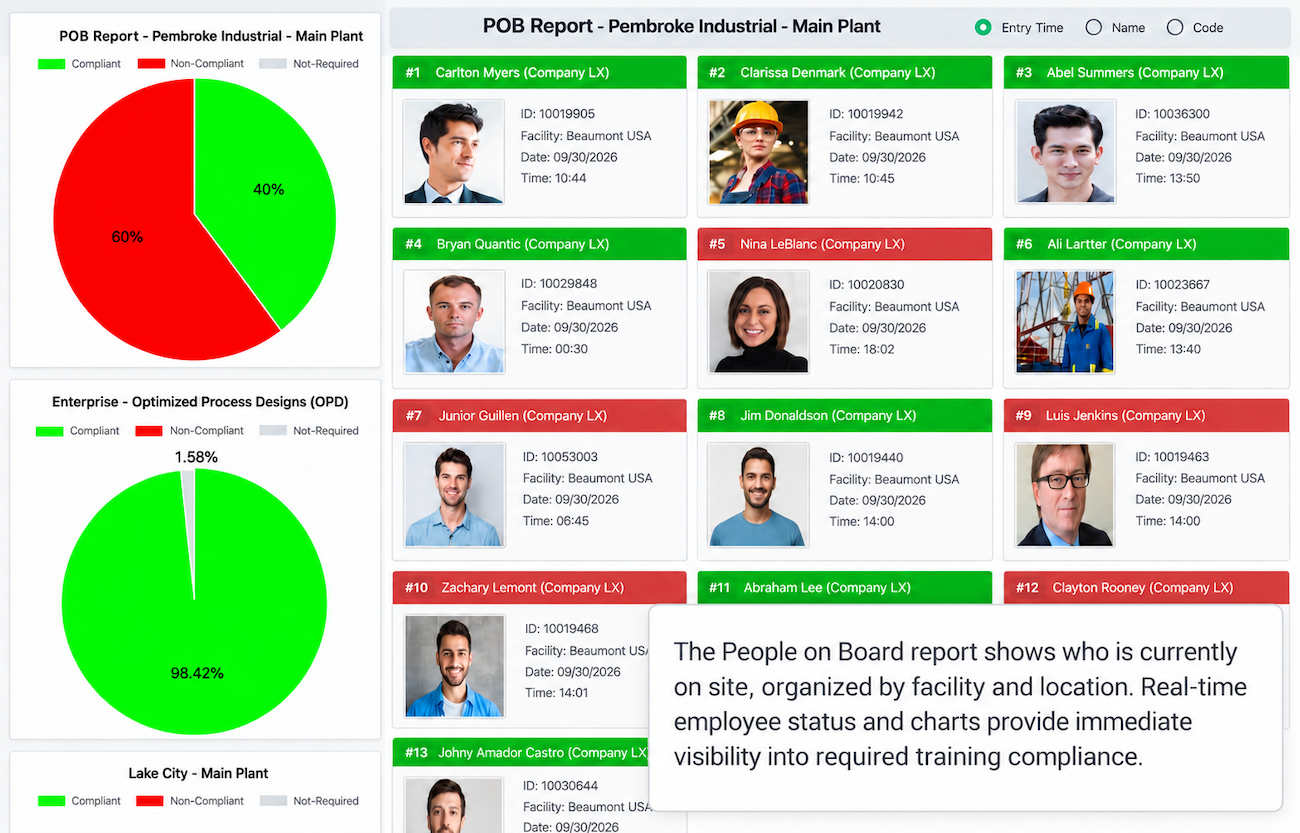
Make workforce visibility part of your emergency readiness. Daily check-ins and checkouts give this report its operational value. Keep those records current as people move through the workday.
COMPLETE THE TRAINING
Put the record to work.
Facility Logbook and Locstatt Training work together across industries. Training records saved through the different learning scenarios offered by Locstatt and Traina Culture are automatically available in Logbook reports.
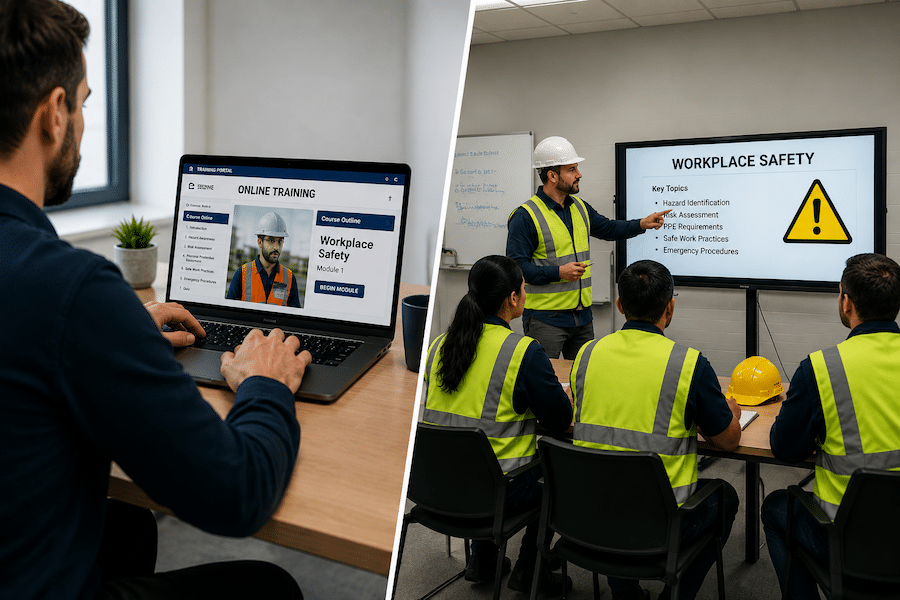
Whether learning happens in the field, in a scheduled session or online, the saved record helps supervisors review the training required for the facility and gate.
Train
Deliver learning through your training workflow.
Record
Save the employee’s completed training.
Review
See the record in the Facility Logbook reports and check it against site requirements.
Your sites.
Your requirements.
Your starting point.
Can requirements differ between facilities and gates?
Yes. Assign required training to operational facilities and specific gates so supervisors can review the requirements relevant to each entrance or work area.
Can we use the Facility Logbook only as a basic timesheet application?
Yes. You can use it just to manage entrance times and man hours, or combine these records with required-training management.
How does the POB report help during an emergency?
It brings site-presence information together by facility and location, helping teams identify people at the affected location. Keeping daily check-ins and checkouts current makes that information more useful.
Do training records have to be entered again in the Facility Logbook?
Training records saved through Locstatt and Traina Culture are automatically available in Logbook reports. The module connects those records with your configured facility and gate requirements.
Bring your workforce
into a clearer view.
See how facility requirements, daily presence, People on Board and man hours can work together in your operation.